How a Request
for Leadership Training
Revealed Deeper
Workflow Challenges
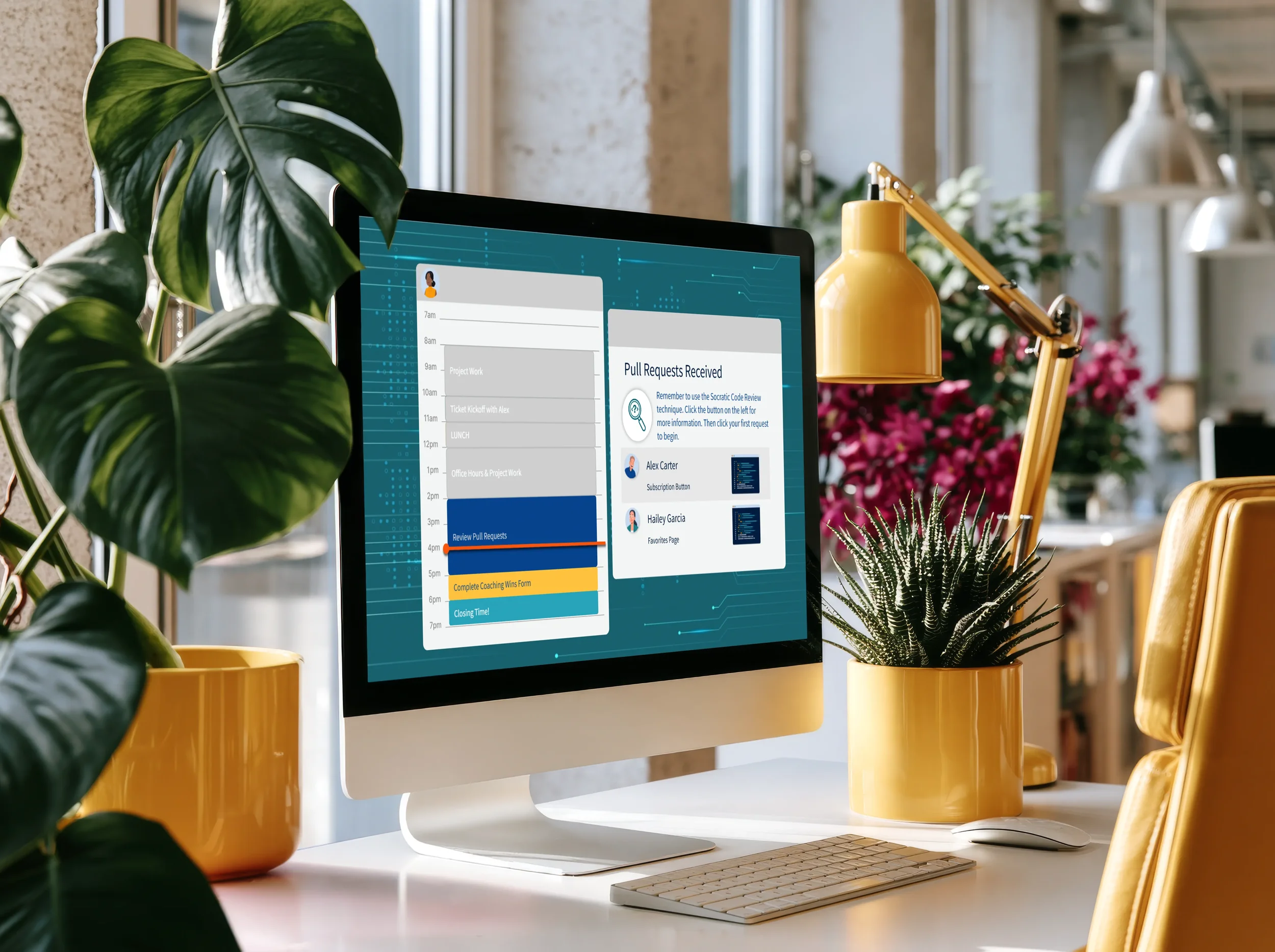
…and inspired a practical performance solution to help teams work independently, streamline daily workflows, and build a stronger collaborative culture.

Project Overview
NexusStream Engineering Enablement and Mentorship Program

Hypothetical

NexusStream
B2B SaaS

Engineering Team Leads
Junior Developers

4 months

Learning Experience Design
e-Learning Development
Project Management
Visual Asset Creation

The Challenge
NexusStream’s rapid growth left new Team Leads, recently promoted from coders to managers, struggling to handle key responsibilities like delegating tasks and providing productive feedback.
While stakeholders initially asked for “a course on soft skills and people management,” a deeper analysis revealed a much bigger underlying issue. The lack of documentation for the legacy architecture, unclear workflow procedures, and tight deadlines pressured Team Leads to rewrite code themselves, leading to long work hours. This also kept Junior Developers from becoming self-sufficient, stretching feature cycle times to 9 days and pushing pull request rejection rates to 80%.
The stakeholders and I used these metrics to set two main project goals: quality and velocity. This clear focus helped us address the unique needs of our two target audiences: Team Leads and Junior Developers.
Program Goals
QUALITY GOAL
The Pull Request rejection rate will decrease from 80% to 30% by the end of Q4 as Junior Developers successfully integrate new features with the existing legacy architecture.
VELOCITY GOAL
Feature Cycle Time will decrease from 9 days to 2 days by the end of Q4 as Team Leads use a Socratic coaching framework during code reviews instead of rewriting code themselves.
Project Overview
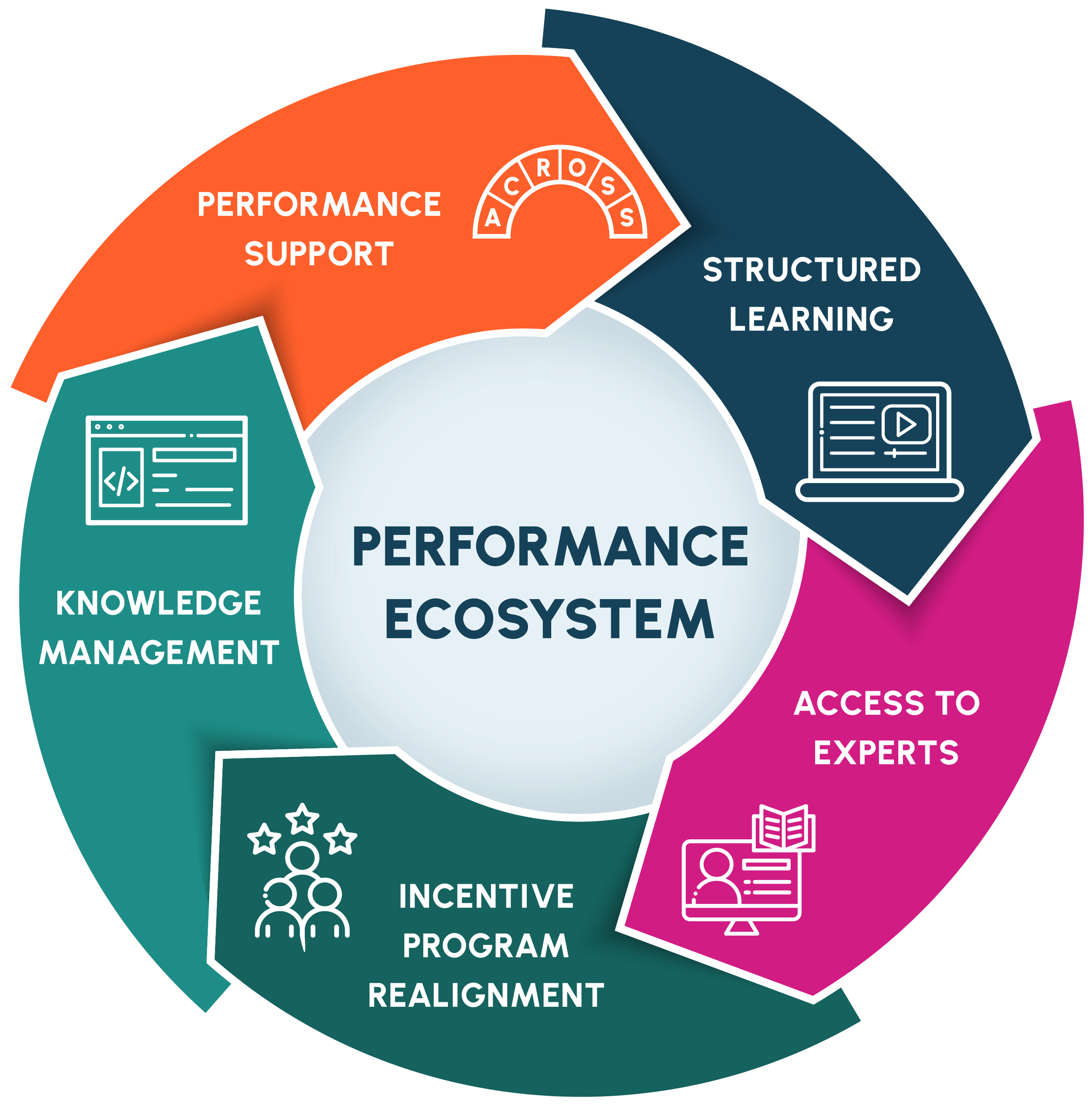
A Performance Ecosystem
Realizing that a single training course wouldn't solve these deeper issues, the stakeholders and I worked together to rethink daily operations across their engineering teams.
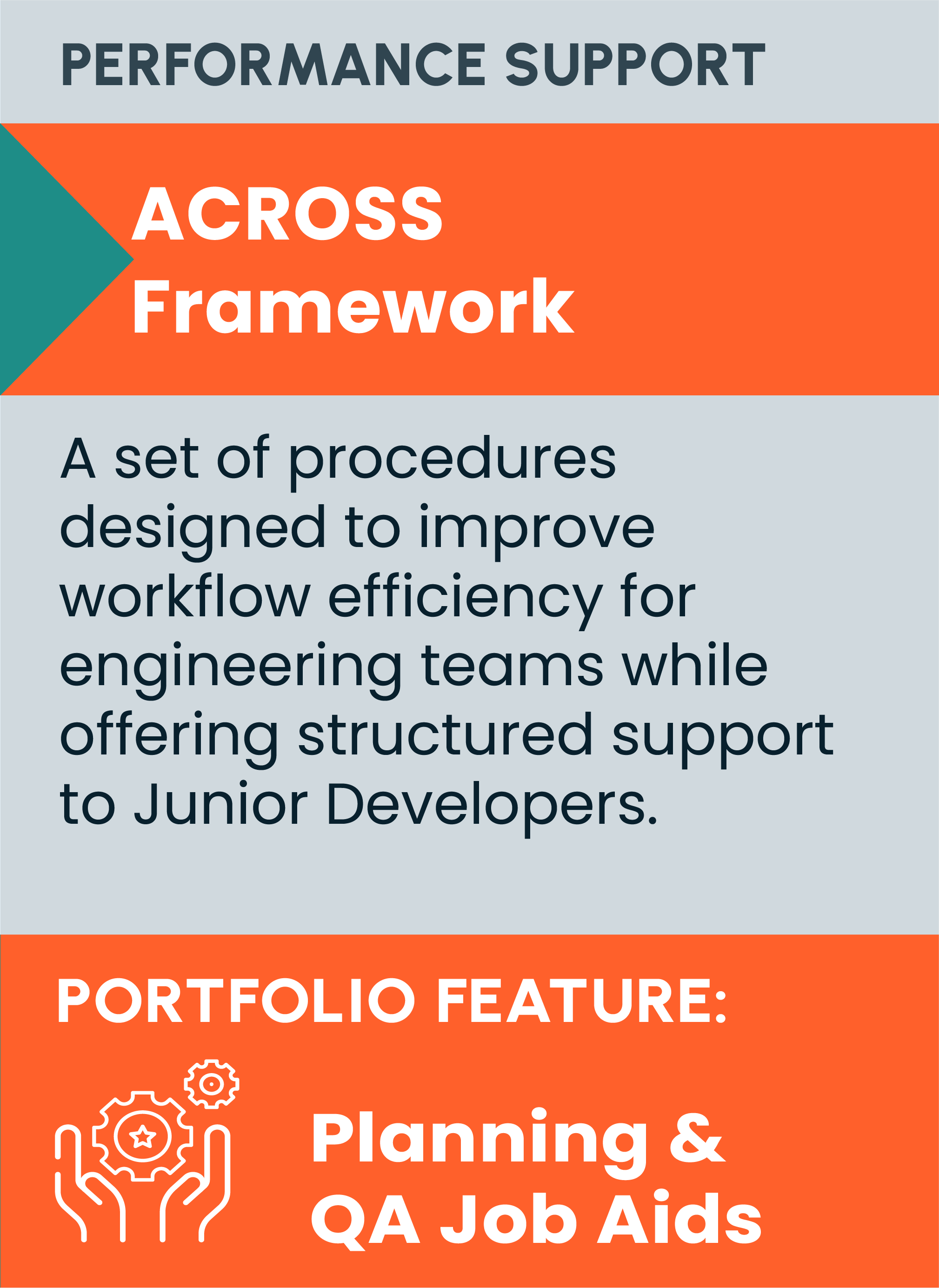
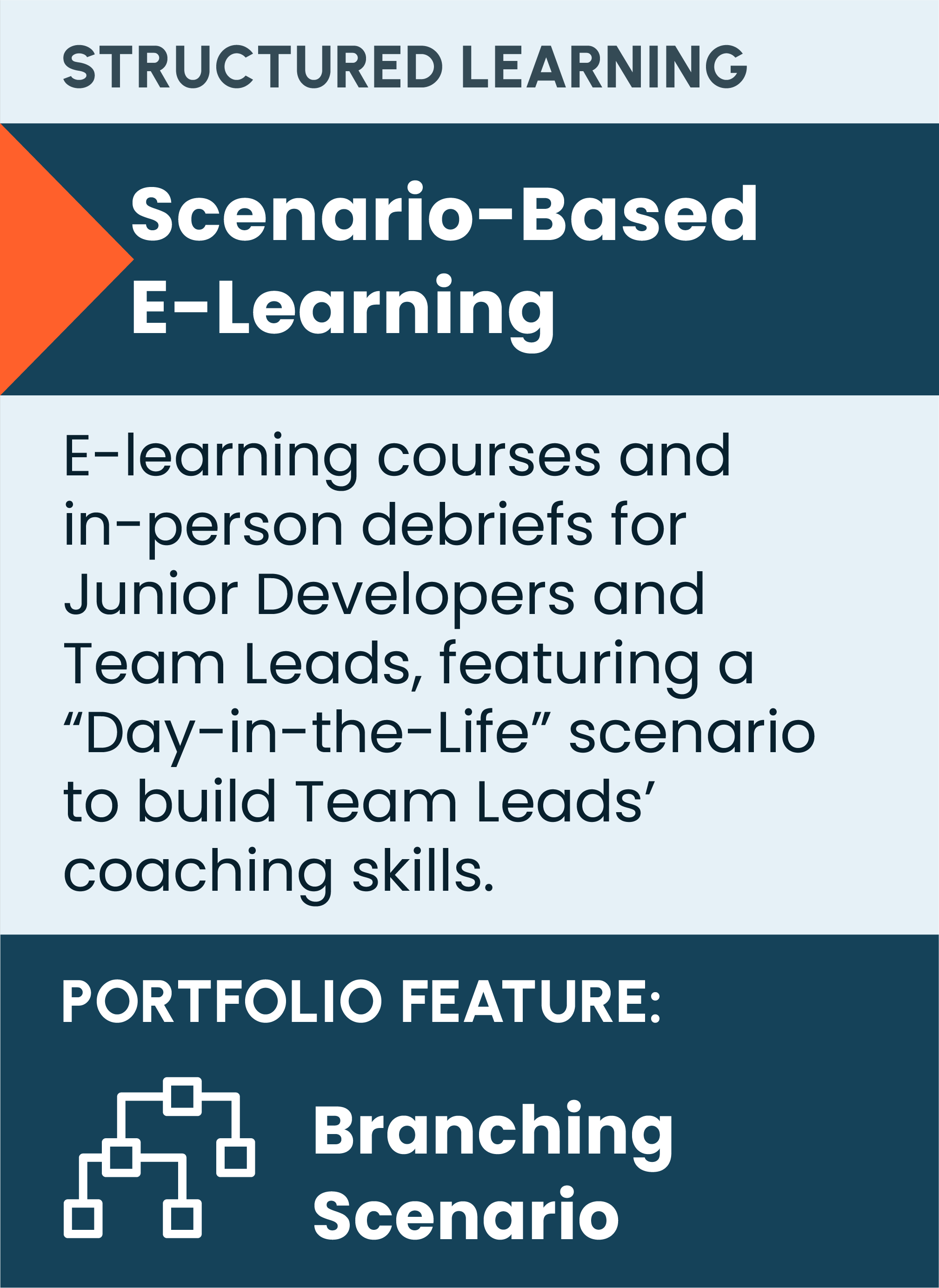
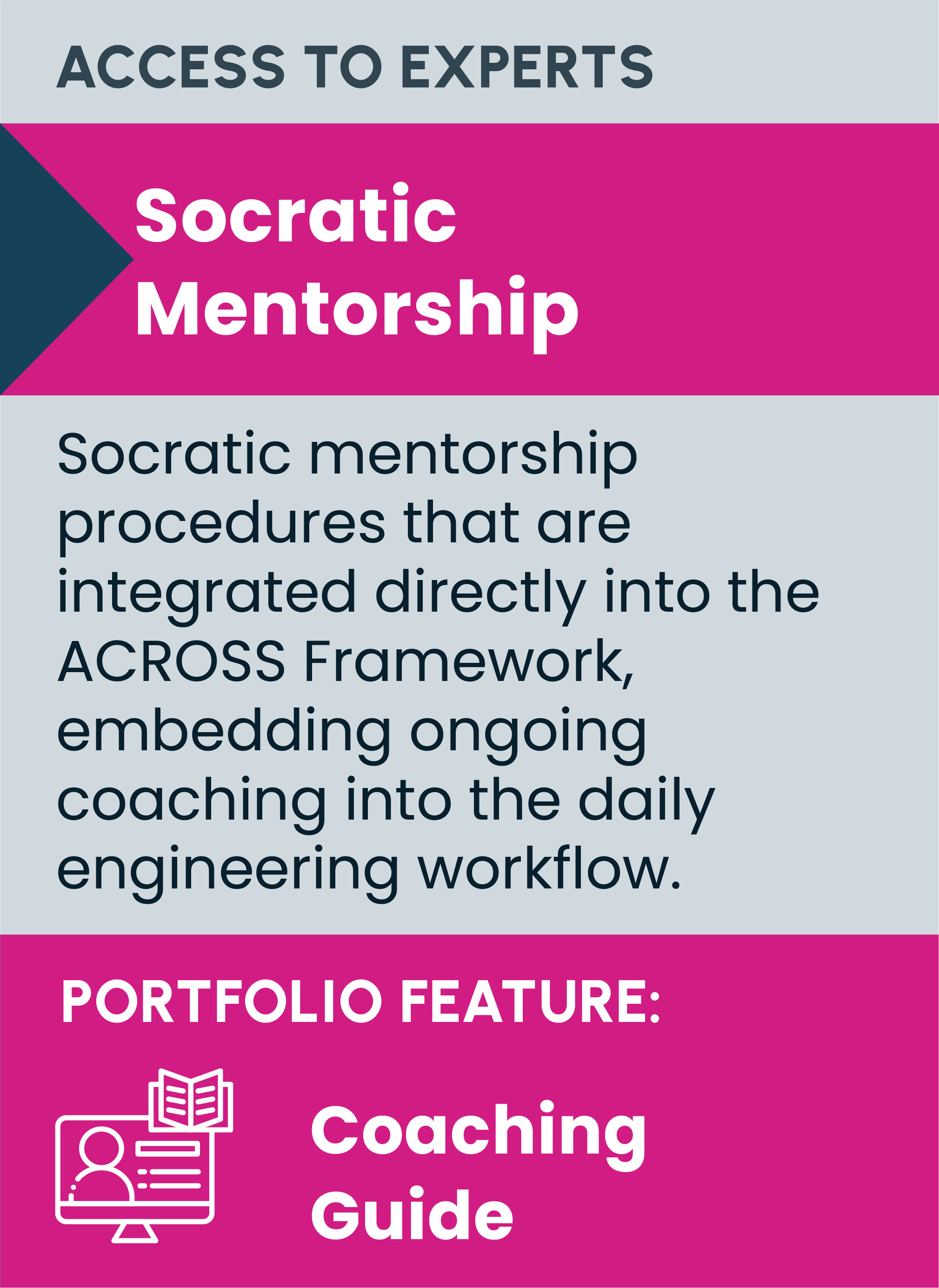
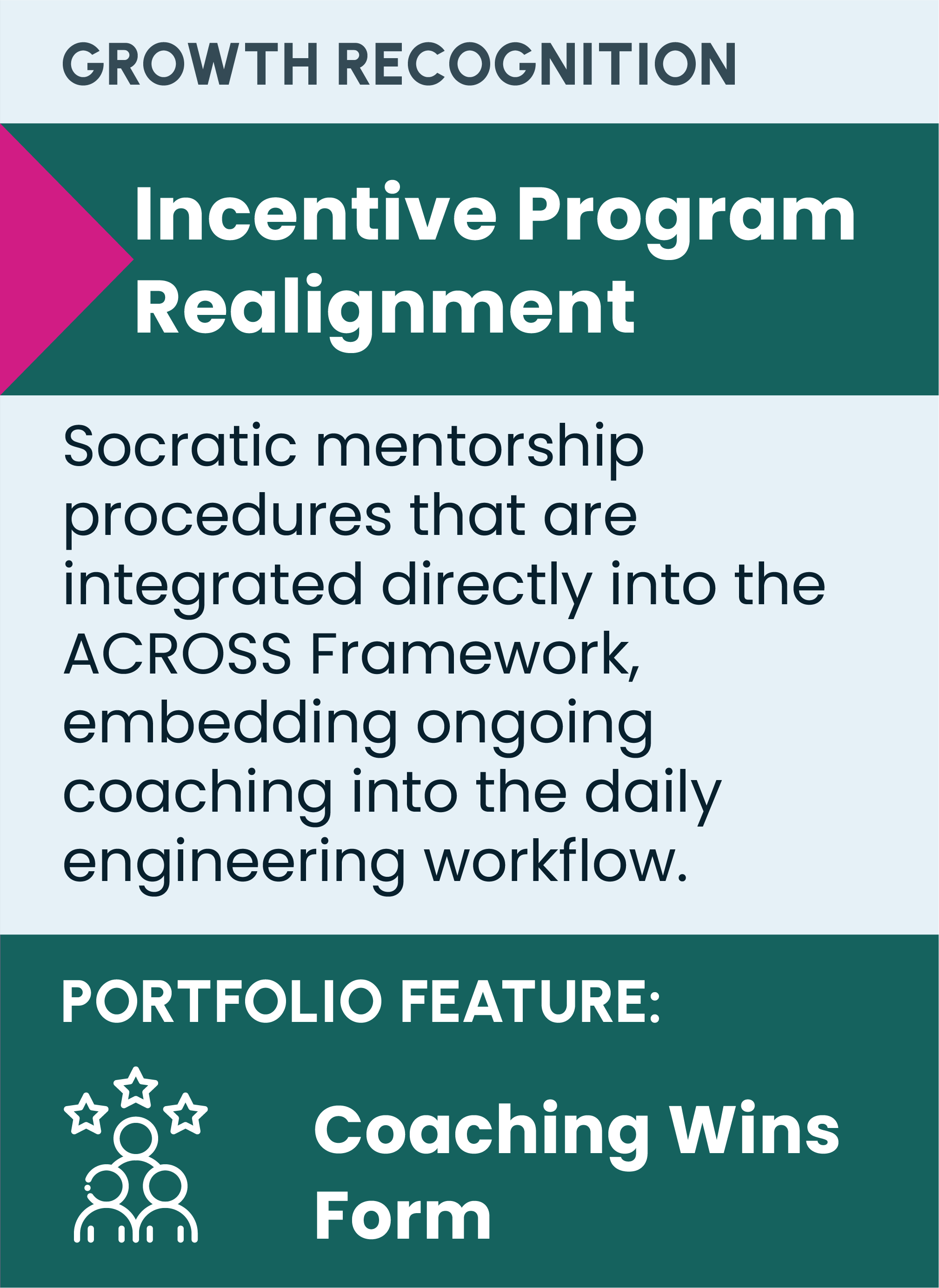
To deliver a well-rounded solution, I designed a multi-layered performance ecosystem that brought together knowledge management, practical workflow support, scenario-based e-learning, structured coaching, and realigned team incentives.
This approach gave us a clear, practical framework to help Junior Developers work more independently while enabling Team Leads to delegate effectively.

Click each image below to jump to the Portfolio Feature or continue reading to learn about my process.
A Note On the Nature of this Project:
Project Type: Hypothetical
Tools Used: Google Gemini
Approach: In order to create this hypothetical project while simulating a real-world situation, I worked with Google Gemini to:
Create several scenarios for my project, detailing the hypothetical companies’ backgrounds and initial requests
Help me role-play the meetings and interactions I would have with the stakeholders from my chosen scenario
Act as my subject matter expert (especially important because of my limited background knowledge of software engineering)
This approach let me apply adult education and multimedia principles while strengthening my project management and technical skills.
Using AI to help me with these tasks pushed me out of my comfort zone and gave me valuable hands-on experience in an unfamiliar industry.
For this case study, I’ll write as if this were a real-world situation.
Process & Strategy
For this project, I followed the ADDIE framework phases but integrated a more iterative process based on Megan Torrence’s LLAMA (Lot Like Agile Management Approach). For this portfolio, I’ll walk you through my ADDIE-based phases while integrating my project management approach.

To better understand what NexusStream's Engineering Department needed, I sat down with the VP of Operations (my SME) and the CTO. It didn't take long to realize we were dealing with a complex issue, and standard training alone wouldn't fix it.

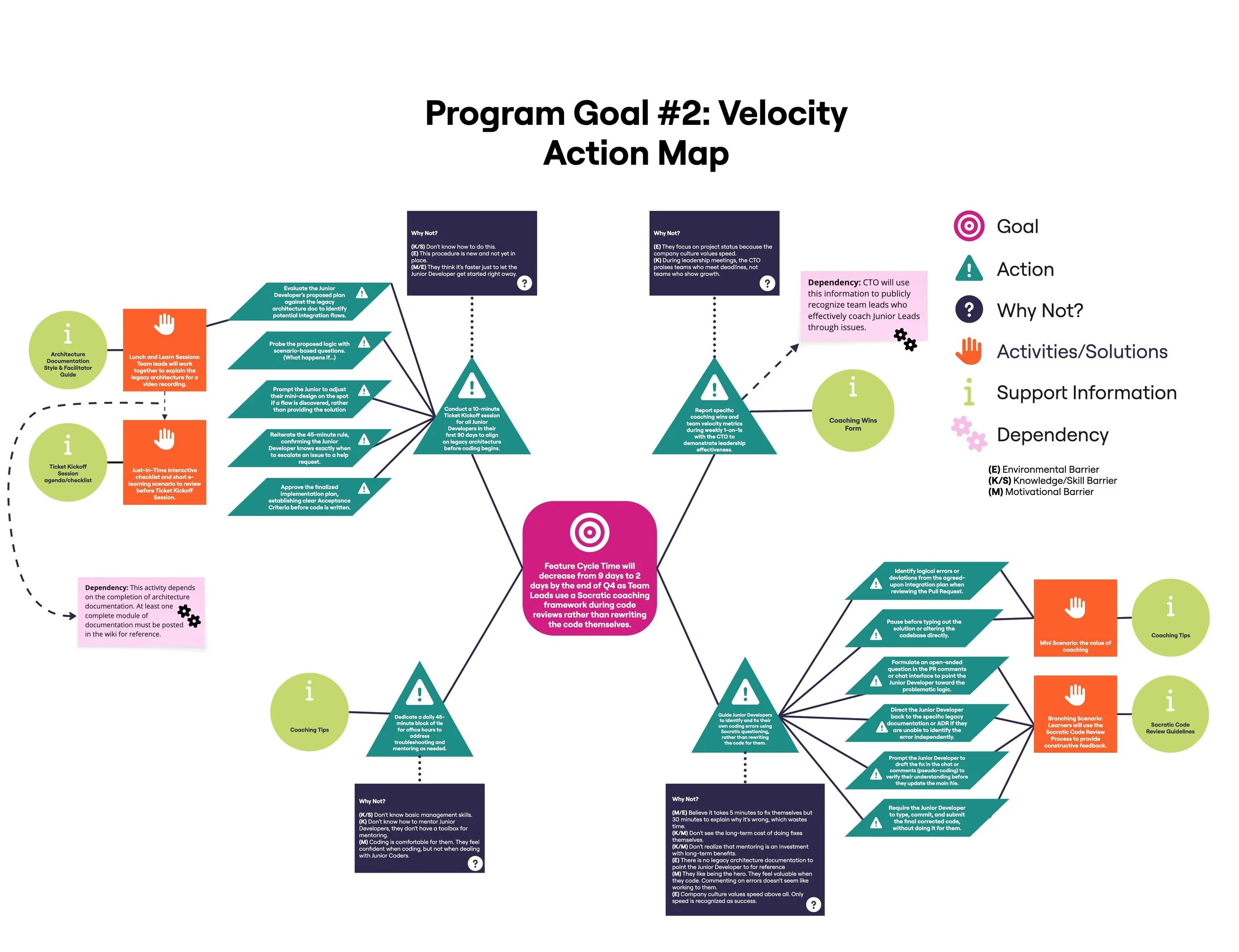
Action Mapping
Tools Used: Miro
Approach: Worked with the SME to create an Action Map by identifying:
the measurable performance goals for the project
the behaviors she’d like to see in her Team Leads and Junior Developers (our two audiences)
the barriers that keep them from demonstrating these behaviors
During our initial meeting, the stakeholders explained that despite recent hiring, shipping speed hadn’t improved. The CTO noted that Team Leads were the only ones who understood the legacy architecture, so Junior Developers often submitted flawed pull requests, and Team Leads were rewriting the code themselves to meet deadlines.
To better understand the underlying cause, I asked specific follow-up questions:
"How much time each week do Team Leads spend fixing other people's code? Is this situation sustainable?" The CTO estimated around 60%, adding that Team Leads were working overtime and risking burnout.
"Why are the Team Leads the only ones who understand the legacy architecture?" The stakeholders revealed that the legacy architecture wasn't documented anywhere, so new hires had no resource to check for mistakes or better understand the system. This forced Junior Developers to rely on trial and error or wait for Team Leads to fix the flawed code.
The Action Mapping process shifted our approach from a standard soft skills course toward a much broader, blended solution. The discussion helped us fully explore the problem. It provided a clear framework to examine performance challenges, create a wishlist for an ideal workplace, and identify the specific environmental, motivational, and knowledge or skill barriers in the way.
Throughout our in-depth discussion, I asked detailed follow-up questions that clarified the situation. This process revealed each audience's specific needs, confirming that we’d need to create a phased, blended solution to address the core issues and meet the program goals.
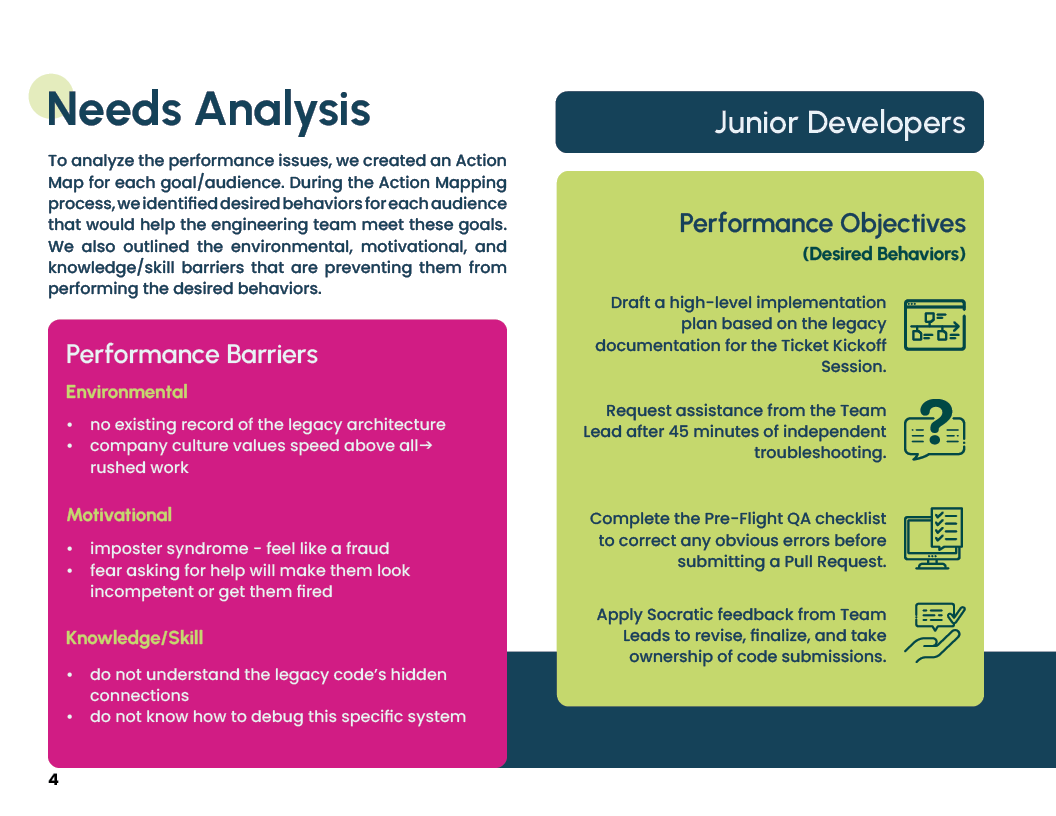
Identifying Performance Objectives
Tools Used: Action Maps
Approach: Outlined specific performance objectives based on the behaviors identified during action mapping.
The completed action maps made this step pretty straightforward. Because Action Maps are, well, action-based, our conversation revealed the desired performance objectives, so my task here was to clarify them so I’d be ready to design effective solutions.
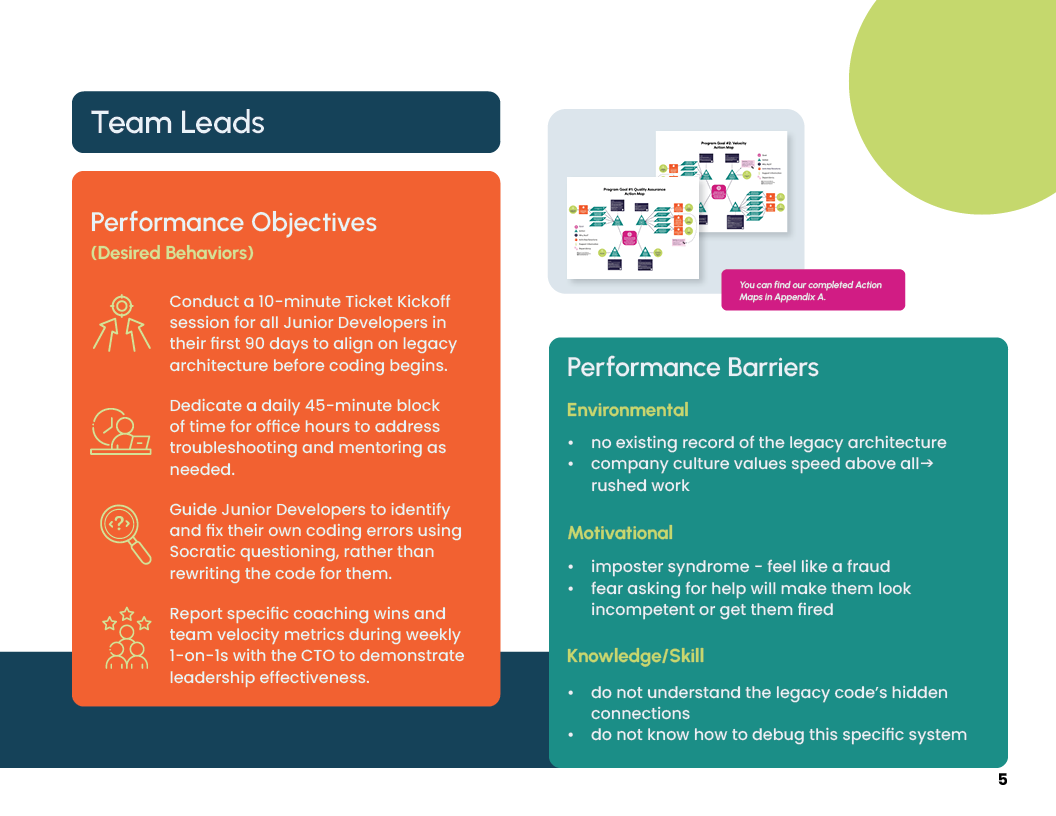

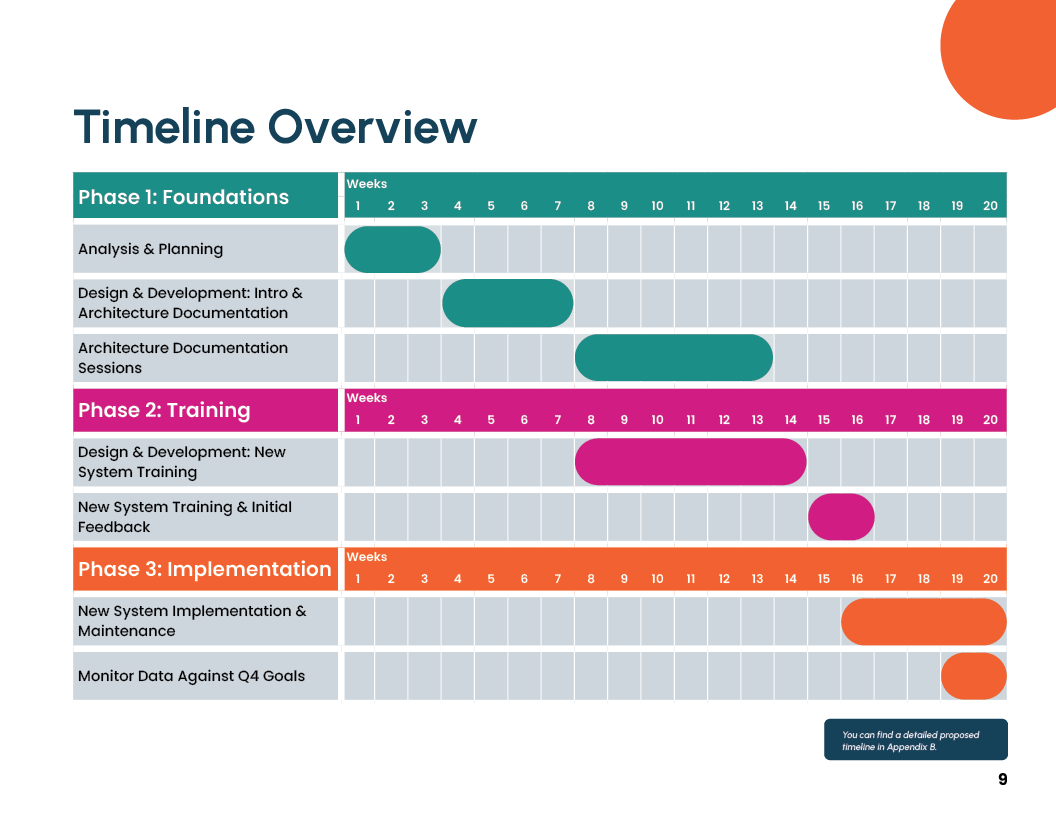
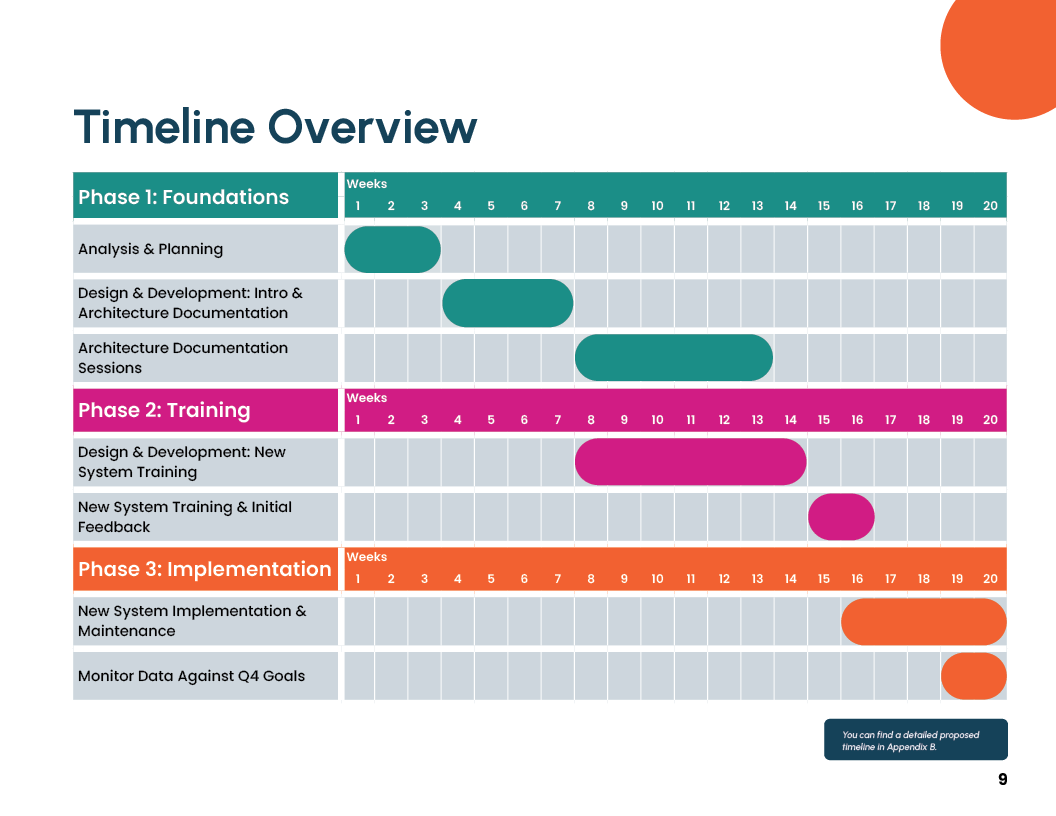
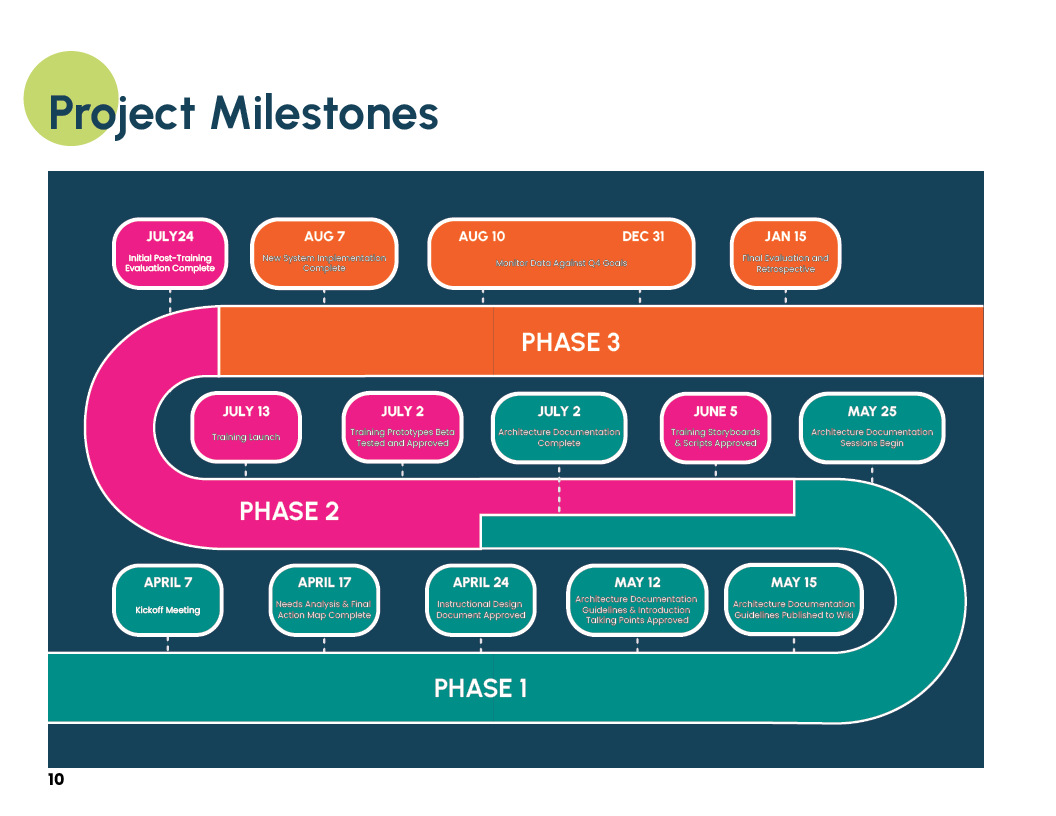
During the design phase, I combined ideas from our Action Mapping session with the SME's technical expertise to create a proposal for a balanced training plan. Because the project had a wide scope, I stayed in close contact with the SME to keep everything focused. I also created a project timeline with proposed iterations and review periods.

Instructional Design Document
Tools Used: Adobe InDesign
Approach: Created a project proposal document to present to the project stakeholders for approval
I created the Instructional Design Document to align expectations among all stakeholders before project development began. The document includes:
Project goals and performance objectives
A proposed blended performance ecosystem solution
Recommendations for implementation and timeline
Links to supplemental resources (action map, a detailed project timeline, best-practice reference materials)
You can view the interactive document below.
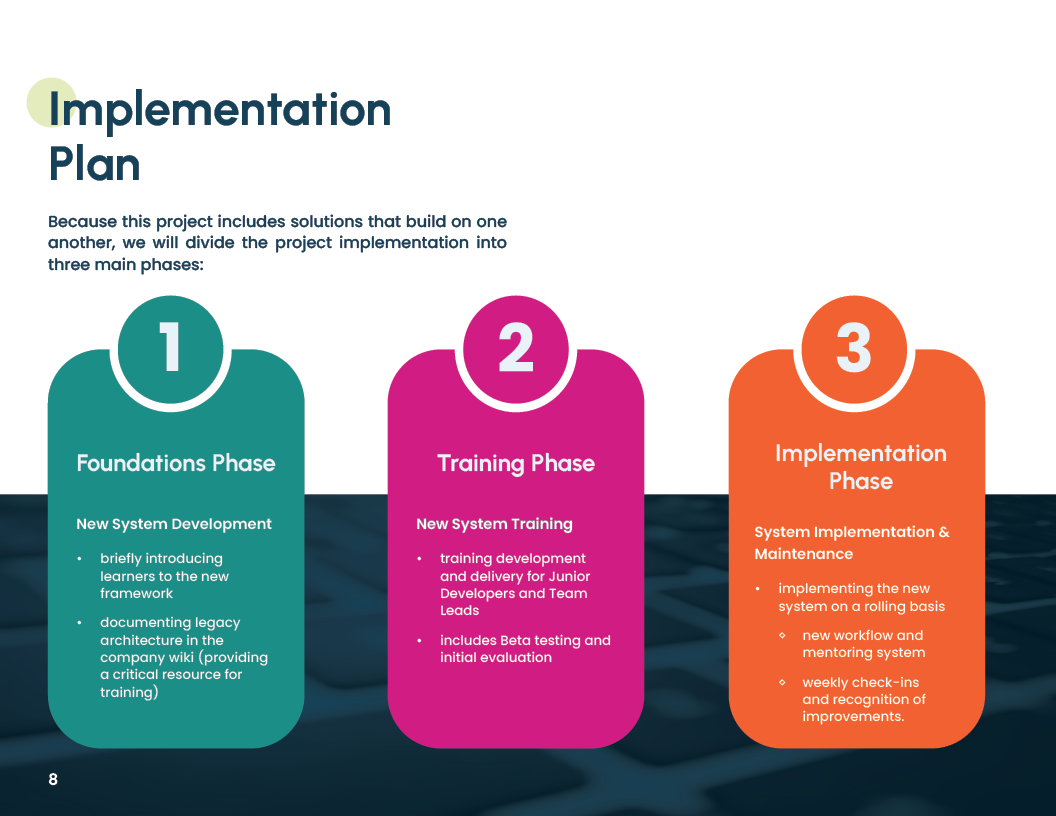
Phased Implementation & Iterative Design & Development
Tools Used: Google Docs, Adobe InDesign
Approach: Structured the project's design, development, and implementation into targeted phases to use time and resources efficiently.
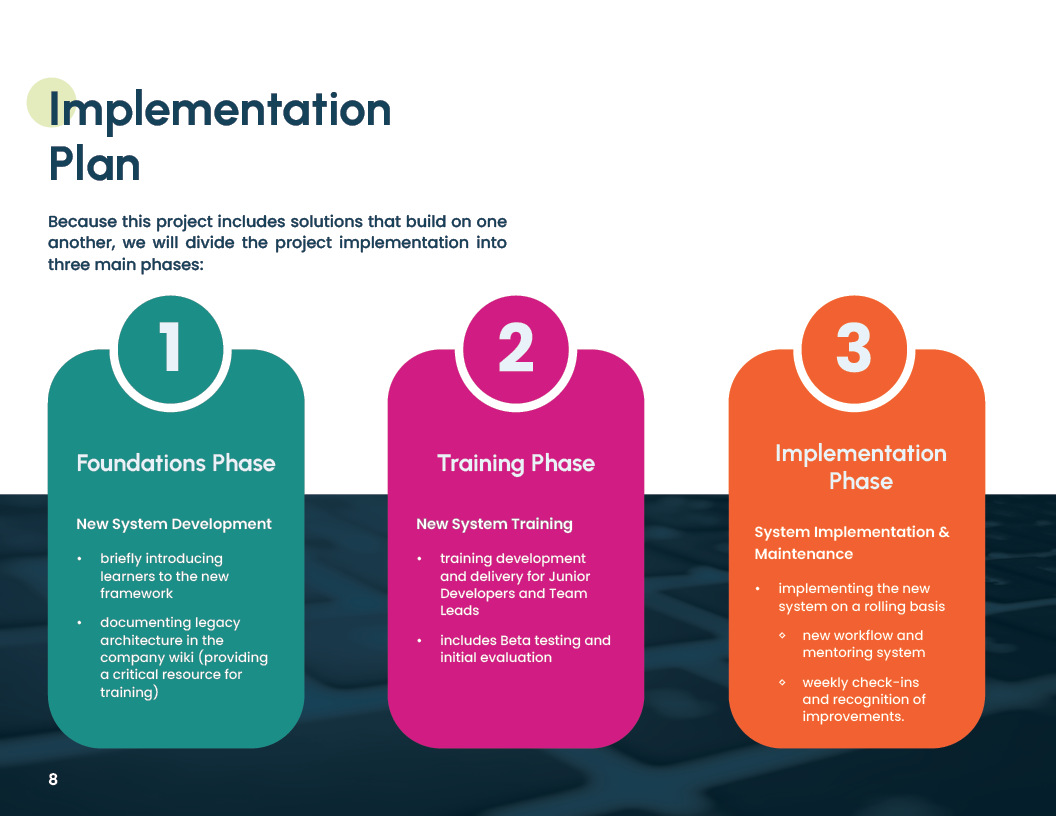
Because of the unique challenges in NexusStream’s Engineering Department, a traditional linear design and development process wasn’t practical. My proposal focused on developing and centralizing legacy architecture documentation in a shared Wiki, making this our top priority. So, I organized the initiative into phased rollouts and applied iterative design and development techniques to use time and resources as efficiently as possible.
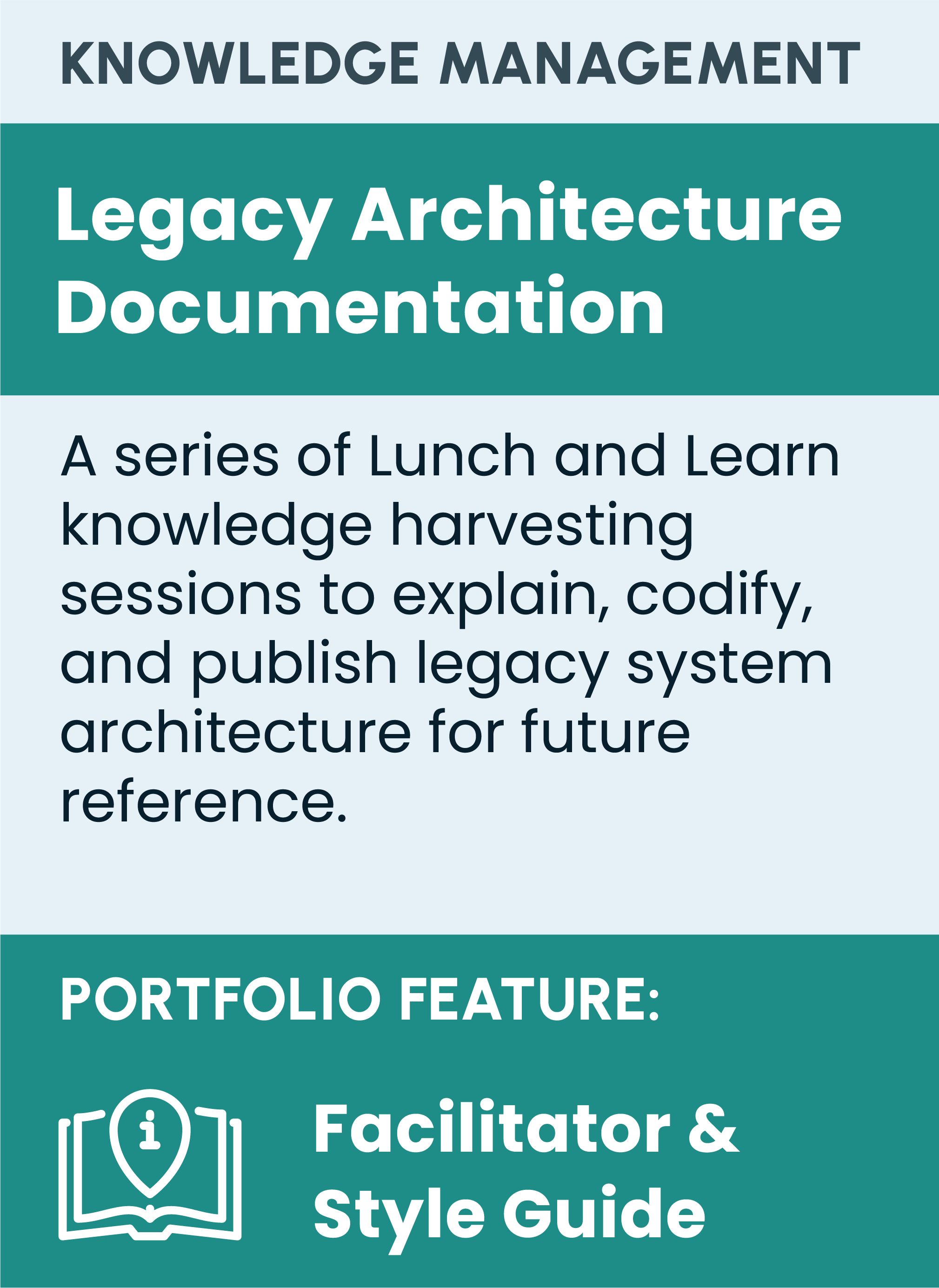
Lunch & Learn Facilitator Guide
Tools Used: Google Docs, Adobe InDesign, Adobe Illustrator
Approach: Outlined and drafted the Lunch and Learn Facilitator Guide.
Documenting legacy architecture that exists only in Team Leads' and Senior Developers' minds can be a huge project. Although AI tools can extract system architecture and generate documentation, stakeholders wanted to ensure we introduced the legacy system to Junior Developers. So, we planned a series of Lunch-and-Learn sessions to explain, codify, and publish the legacy system architecture.
The sessions were divided into :
Modules based on portions of the architecture
Recording sessions: A video recorder captures Team Leads using a whiteboard to explain the specific module while diagramming logic as needed. The team publishes this video internally for Junior Developers to access.
Documentation sessions: Junior developers watch the video recording and work together to document the explanation, following a specific style guide and template. Team Leads then review this documentation for accuracy and publish it to the Wiki.
Because of this structure, I designed the Facilitator Guide to include general instructions for Team Leads’ Recording Sessions and Junior Developers’ Documentation Sessions, including a style guide and template to keep the wiki standardized and easy to understand. Once the draft was approved, I developed the final guide.

Outlining & Planning the ACROSS Framework
Tools Used: Google Docs, Adobe Illustrator
Approach: Outlined the ACROSS Framework and planned the performance support items needed to implement it.
A key part of this program is developing and implementing a structured workflow and mentorship framework. I designed this framework to include all the performance behaviors stakeholders identified during our Action Mapping session. The behaviors fit nicely within a daily workflow structure, and I created an easy-to-remember acronym for the system: ACROSS.
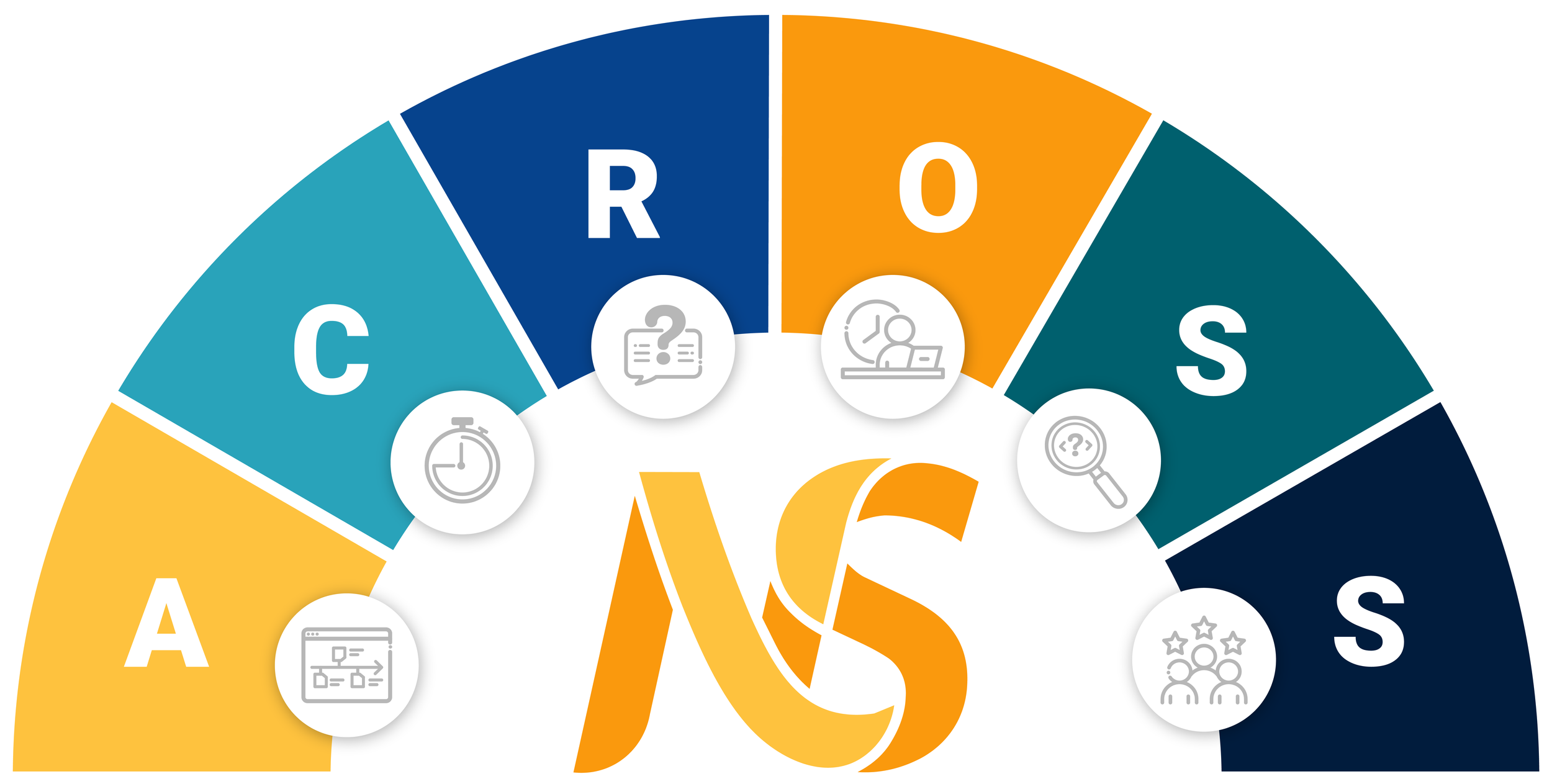
The idea was for this system to bridge the performance gaps we identified, enabling NexusStream to meet program goals while also addressing the skill and culture issues that caused them. You can see the outline in the accordion dropdown menu that follows.
Once stakeholders approved the outline, I created a quick storyboard for an interactive, slide-based introduction to the framework.
We emailed this introduction to learners before implementing Phase 2 Training.
Engineering team members review the framework at their own pace
Also serves as on-demand performance support, providing steps and tips for each part of the workflow framework

Outlining & Scenario Mapping
Tools Used: Google Docs
Approach: Outlined the “Day in the Life” course for Team Leads and mapped out the basic scenario structure.
To establish the overall structure, slide sequence, and narrative flow for the "Day in the Life" team lead coaching course, I began by outlining its main sequence.
Developed rough ideas of question topics
Laid out the branching pattern for the third scenario
Outlined related performance support materials
Shared the completed outline with stakeholders for initial feedback.
Images Coming Soon
Storyboarding & Scripting
Tools Used: Adobe Illustrator, Google Docs
Approach: Created a visual storyboard for the “Day in the Life” course for Team Leads and wrote activity scripts.
My next step was to sketch slide thumbnails and write scripts for the scenario activity questions and answer courses, ensuring each activity addressed a learning objective.
Drafted wireframes of the slide layouts in Adobe Illustrator
Drafted wireframes for performance support materials
Designed a structured storyboard document in Google Docs
Tentatively planned visual assets to source or create
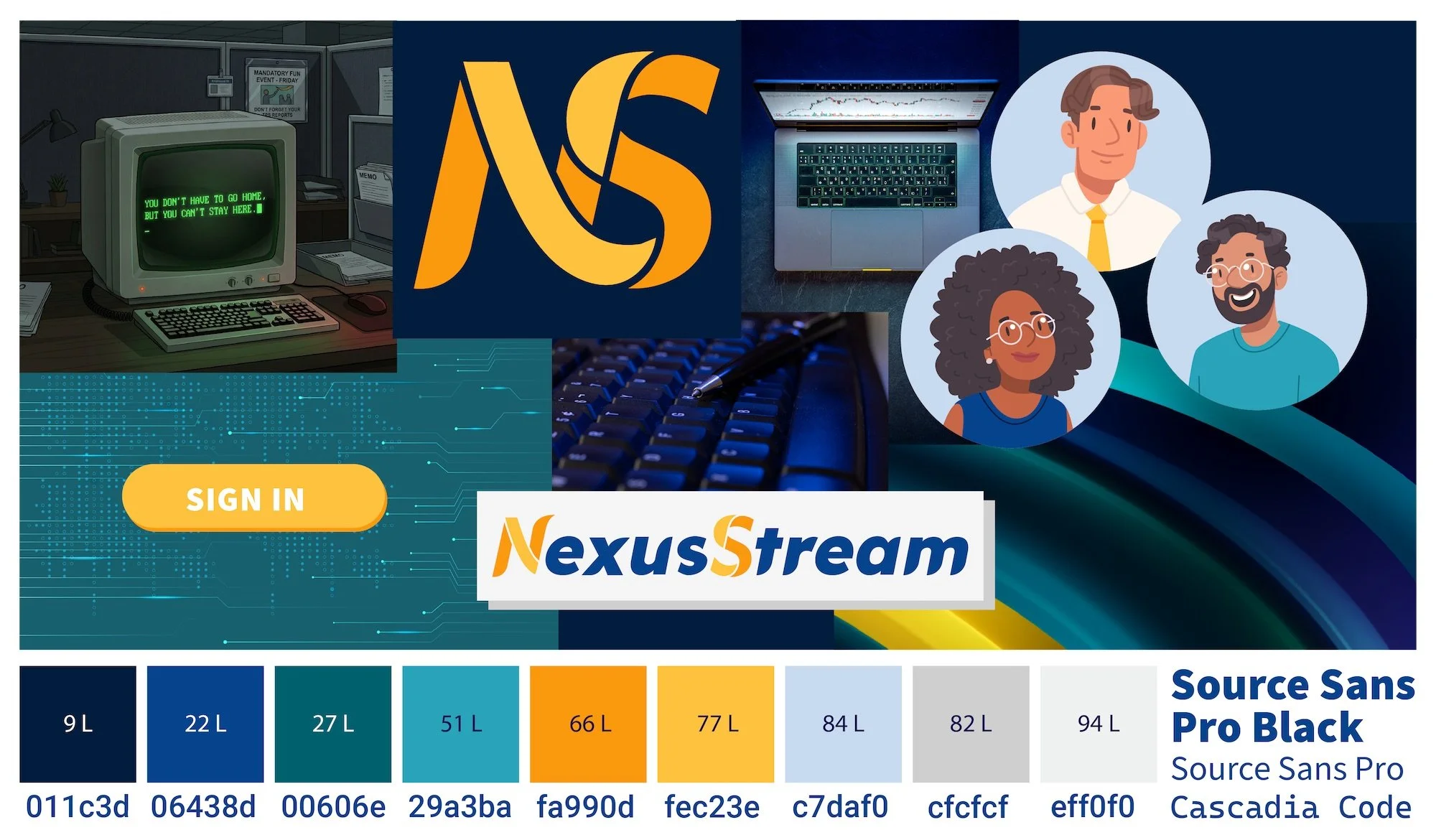
Put together a quick mood board with brand colors, font choices, and graphic style examples
Shared the completed visual storyboard document with stakeholders for initial feedback
Why a Screen Simulation?
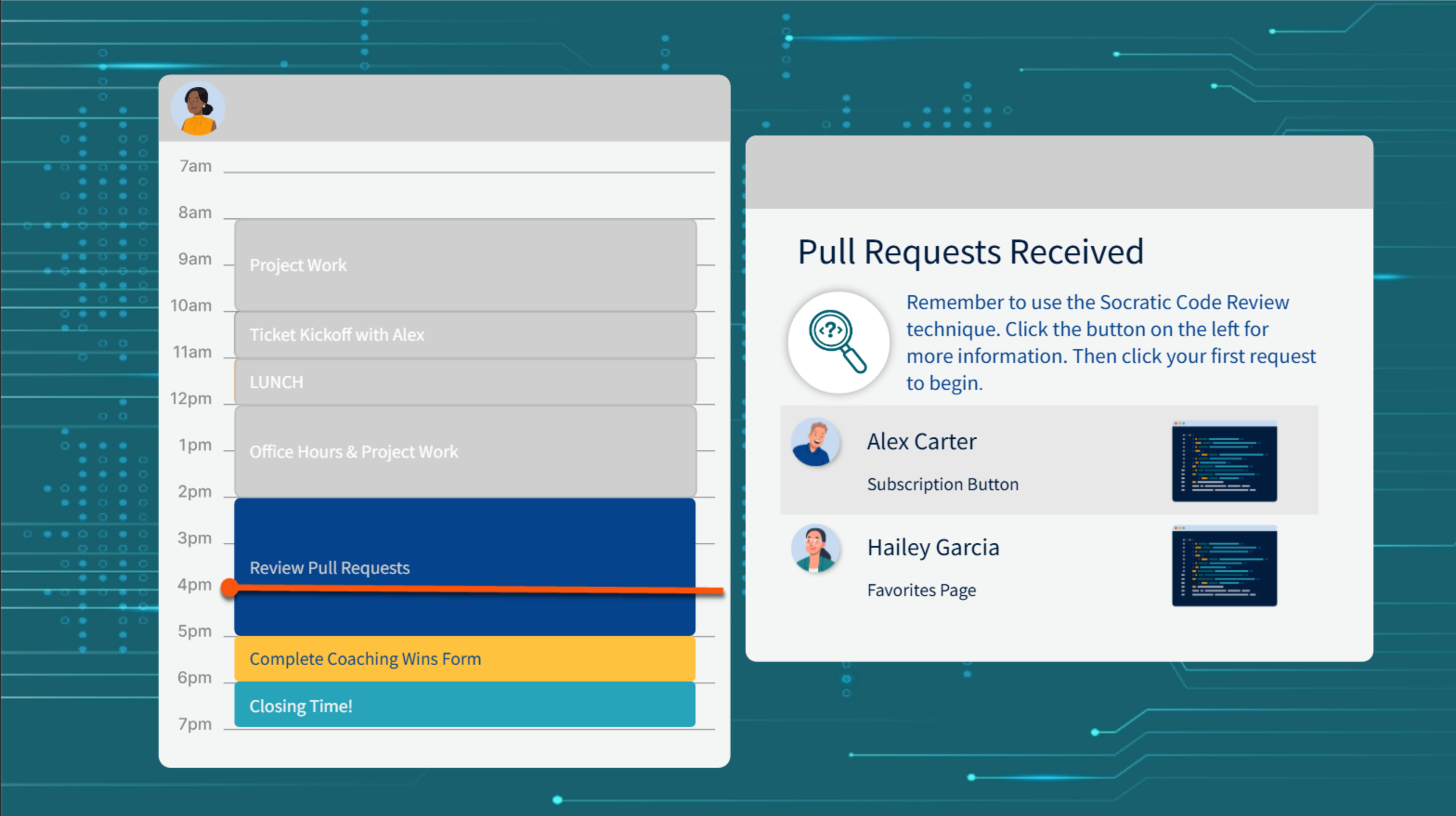
When choosing a course format, I knew I wanted to create an asynchronous e-learning simulation that would let Team Leads practice the new ACROSS framework and Socratic coaching techniques in a way that closely mirrored how they would use them on the job. Software engineers primarily work at their computers, so a desktop screen simulation made sense.
Including a daily calendar window would allow for easy navigation through the “day in the life” scenario
Adding a chat interface would mimic how Team Leads actually communicate with Junior Developers
The chat simulation worked perfectly for the scenario-based activities.
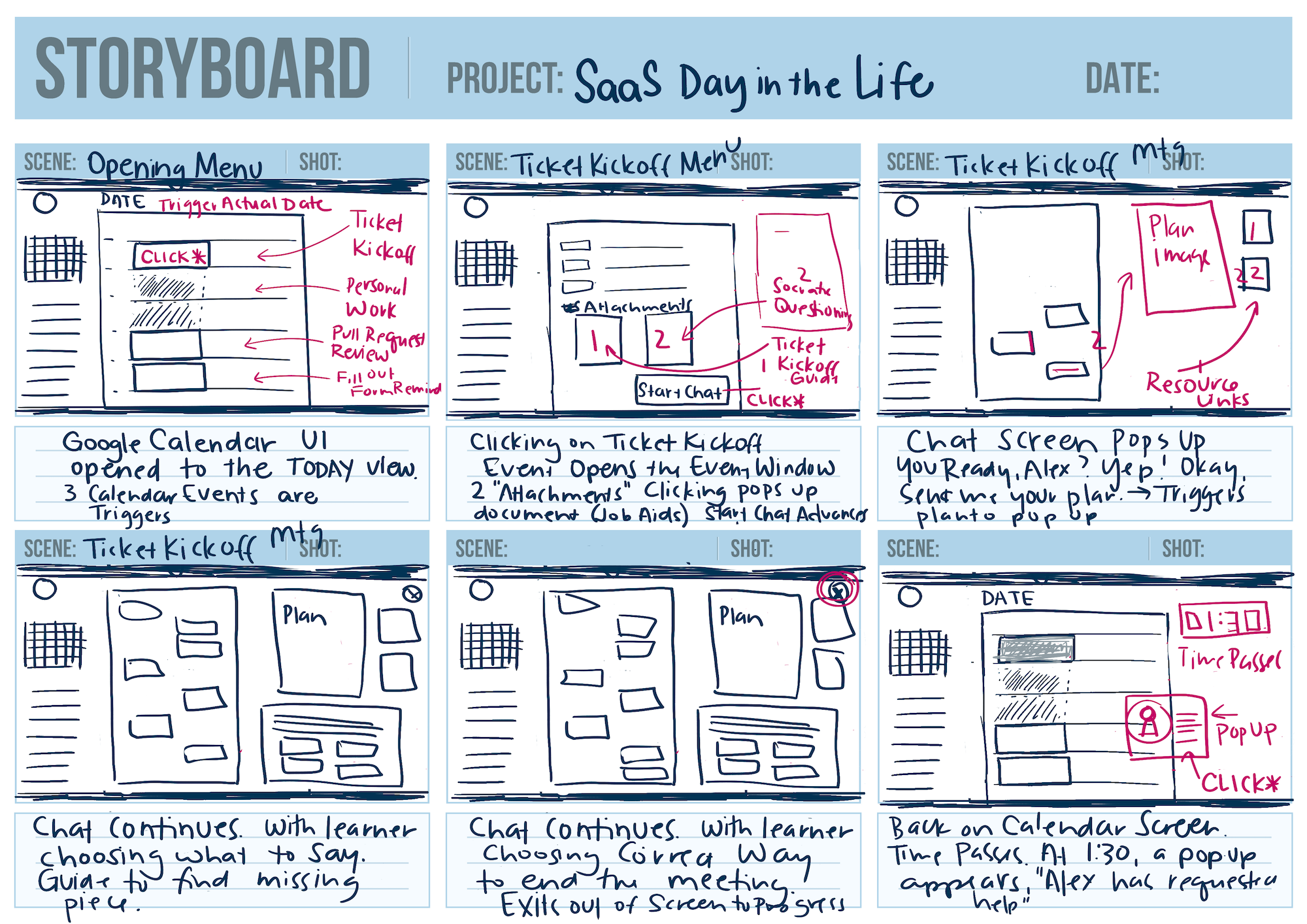
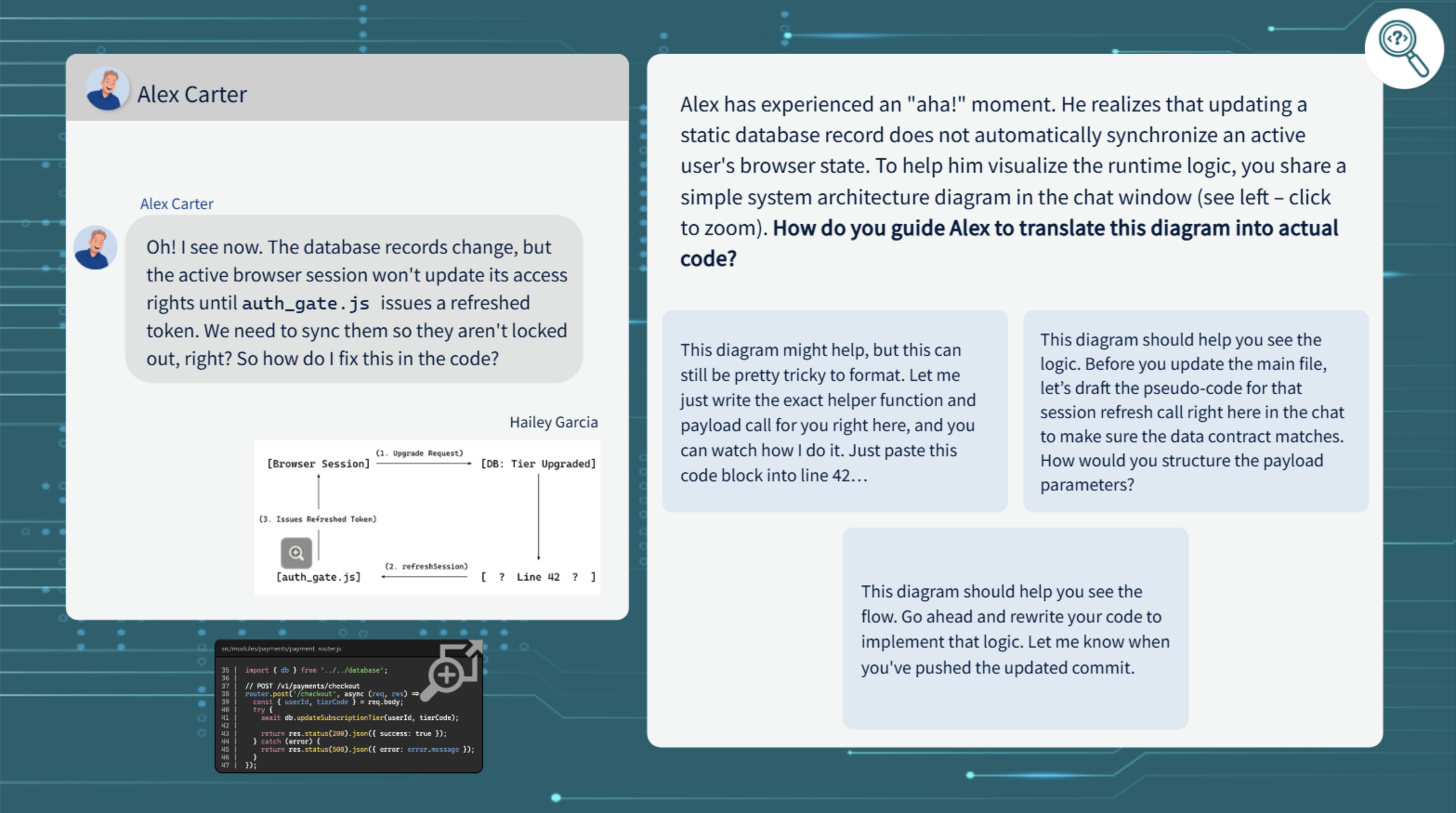
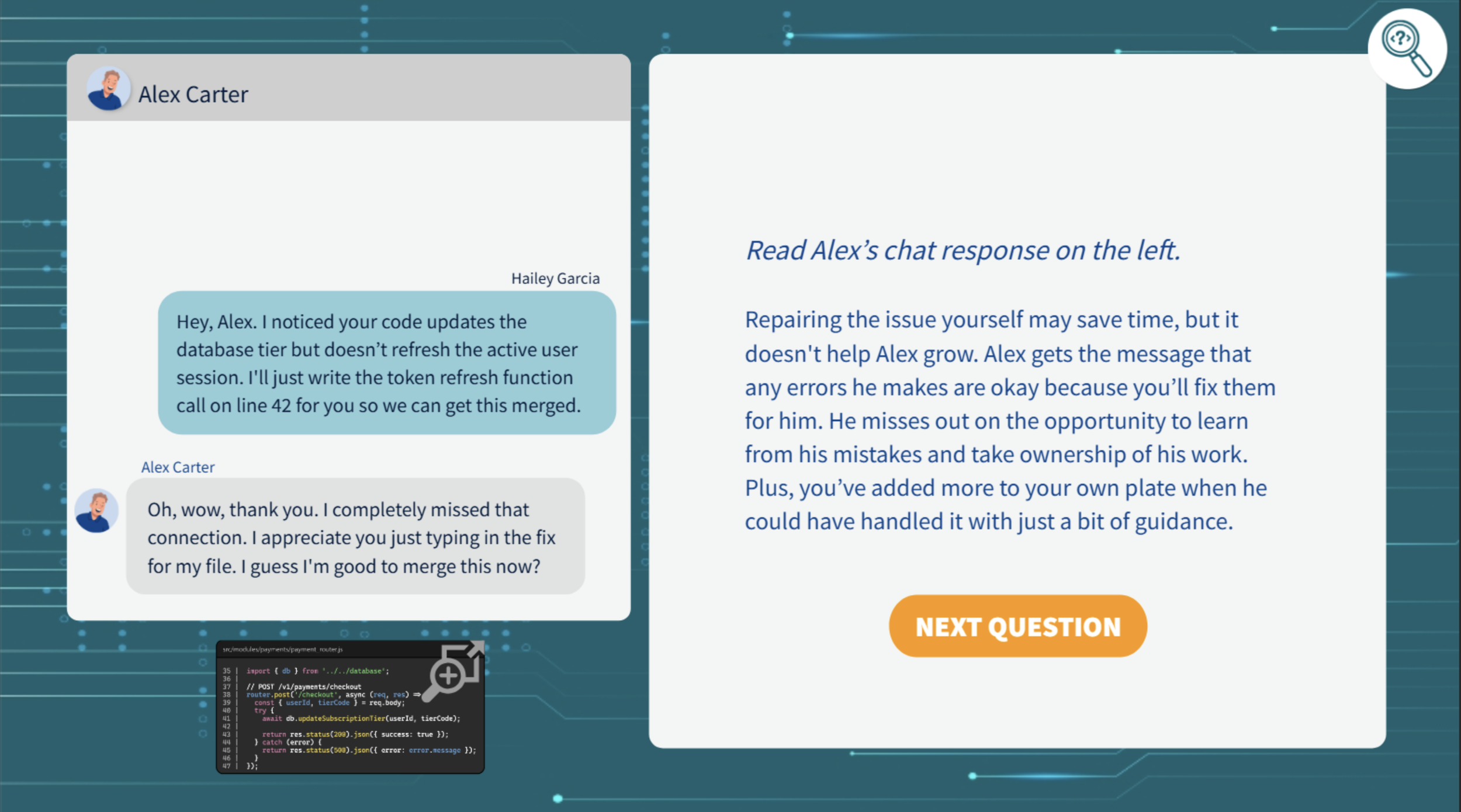

During the development stage, once the course basics were approved, I began building the courses in Articulate Storyline and creating all related performance support materials.
For my portfolio, I focused on the Team Leads’ course and developed its basic framework. However, I will feature only a portion of that course, including the branching scenario that lets Team Leads practice using Socratic feedback during Pull Request reviews.

Prototyping
Tools Used: Articulate Storyline
Approach: Built the first iteration of the “Day in the Life” course for stakeholder approval and beta testing.
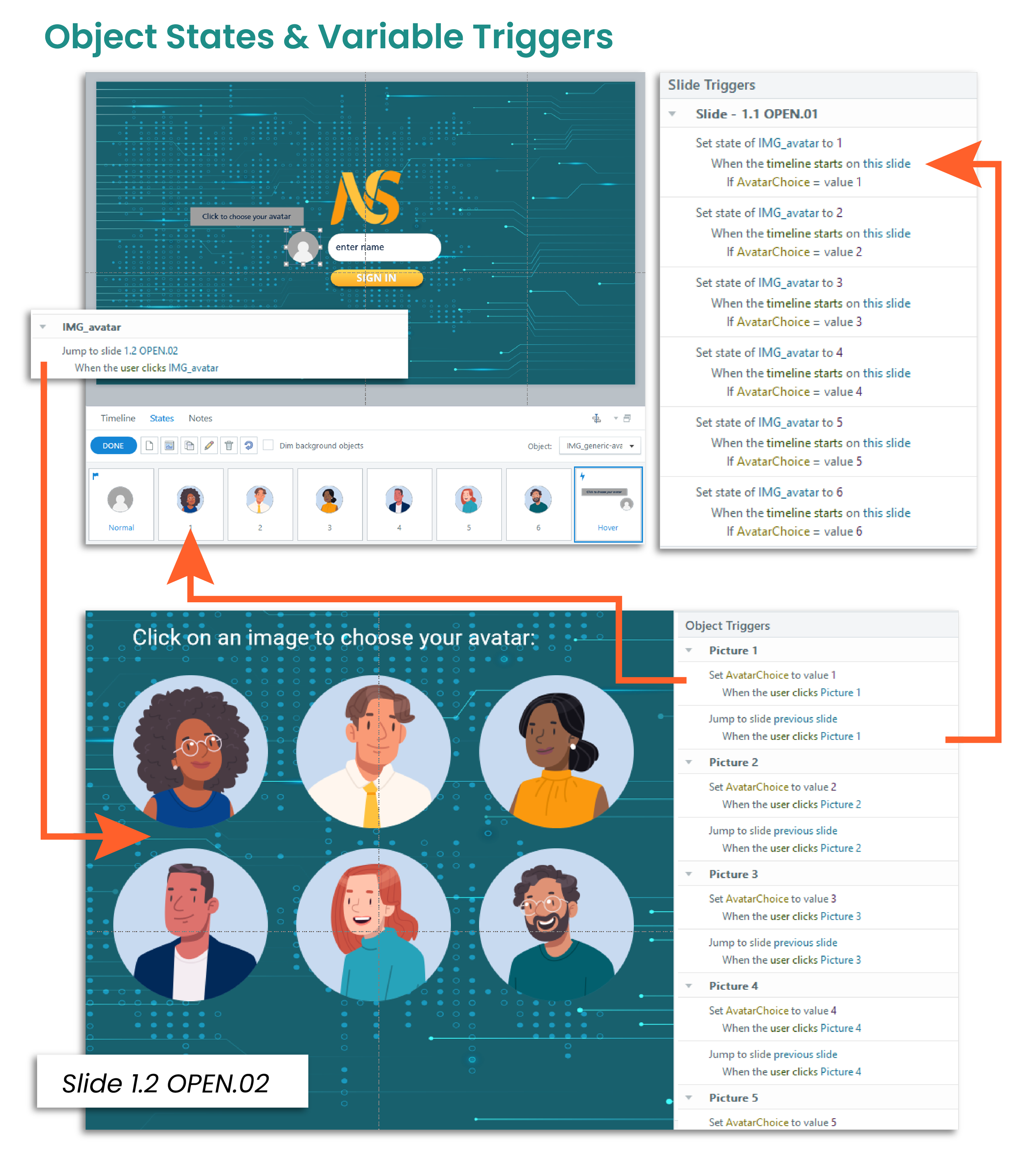
I started by creating the course's main navigation menus. To enhance realism and personalize the simulation, I began the course with a computer sign-in screen where the learner can enter a name and choose a profile image.
I used object states and variable triggers to carry the chosen profile image throughout the course
Check out the hotspots to see more info.
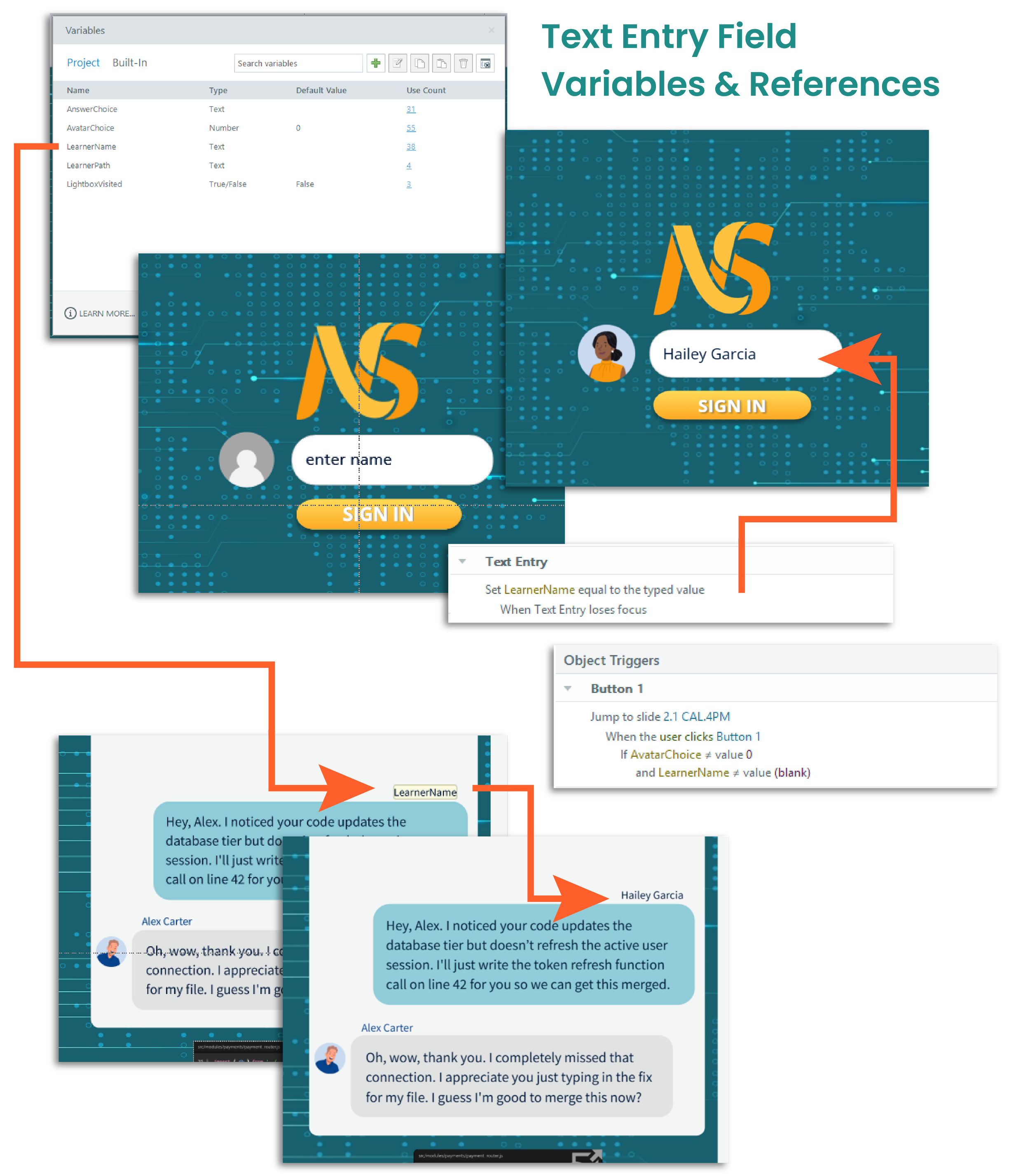
I labeled the text entry field as a variable (LearnerName) and referenced it on later slides so the learner’s name would show up in chat interactions throughout the course.
Check out the hotspots to see more info.
Once signed in, the learner lands on the daily calendar view, which serves as the course's main navigation menu. Throughout the course, certain agenda blocks become active buttons that open access to support materials and take the learner to the next scenario.
The layout of each scenario includes:
a chat window
a question window
an answer-choice window
links to optional support materials
a feedback window, with chat responses as well as targeted feedback
Performance Support Development
Tools Used: Articulate Storyline, Adobe InDesign, Adobe Illustrator, Google Forms
Approach: Developed the performance support materials featured in the ACROSS Framework
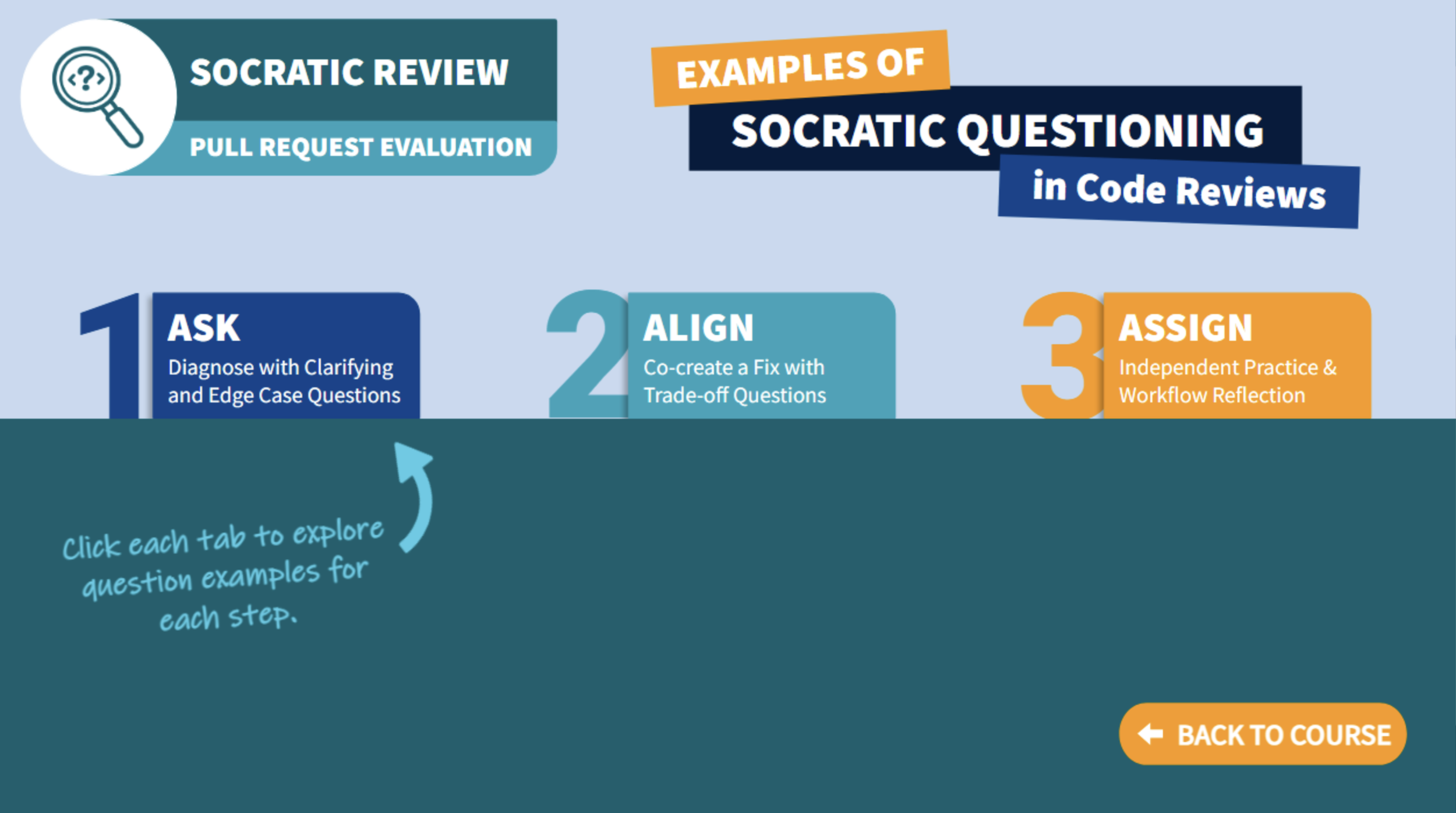
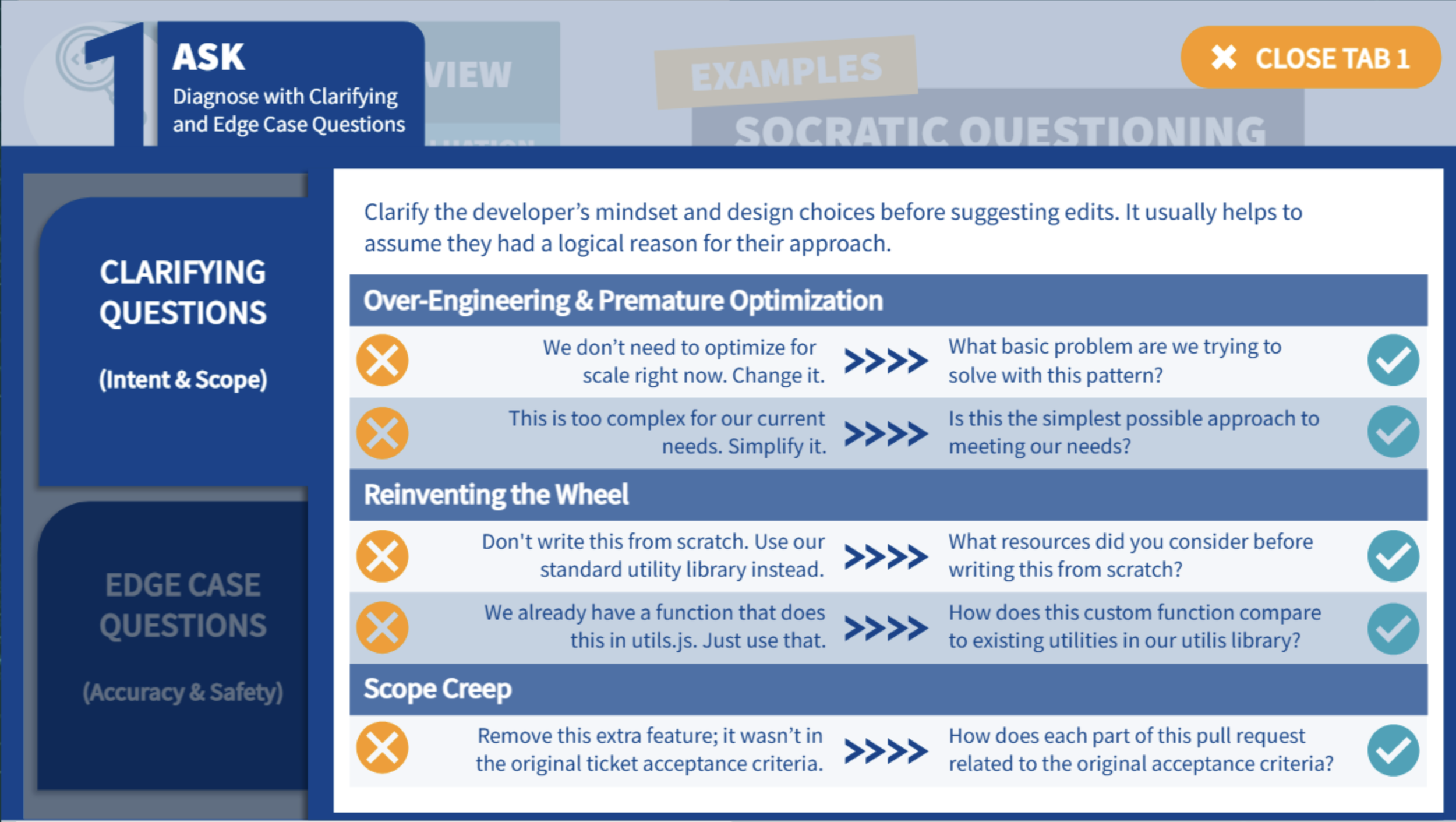
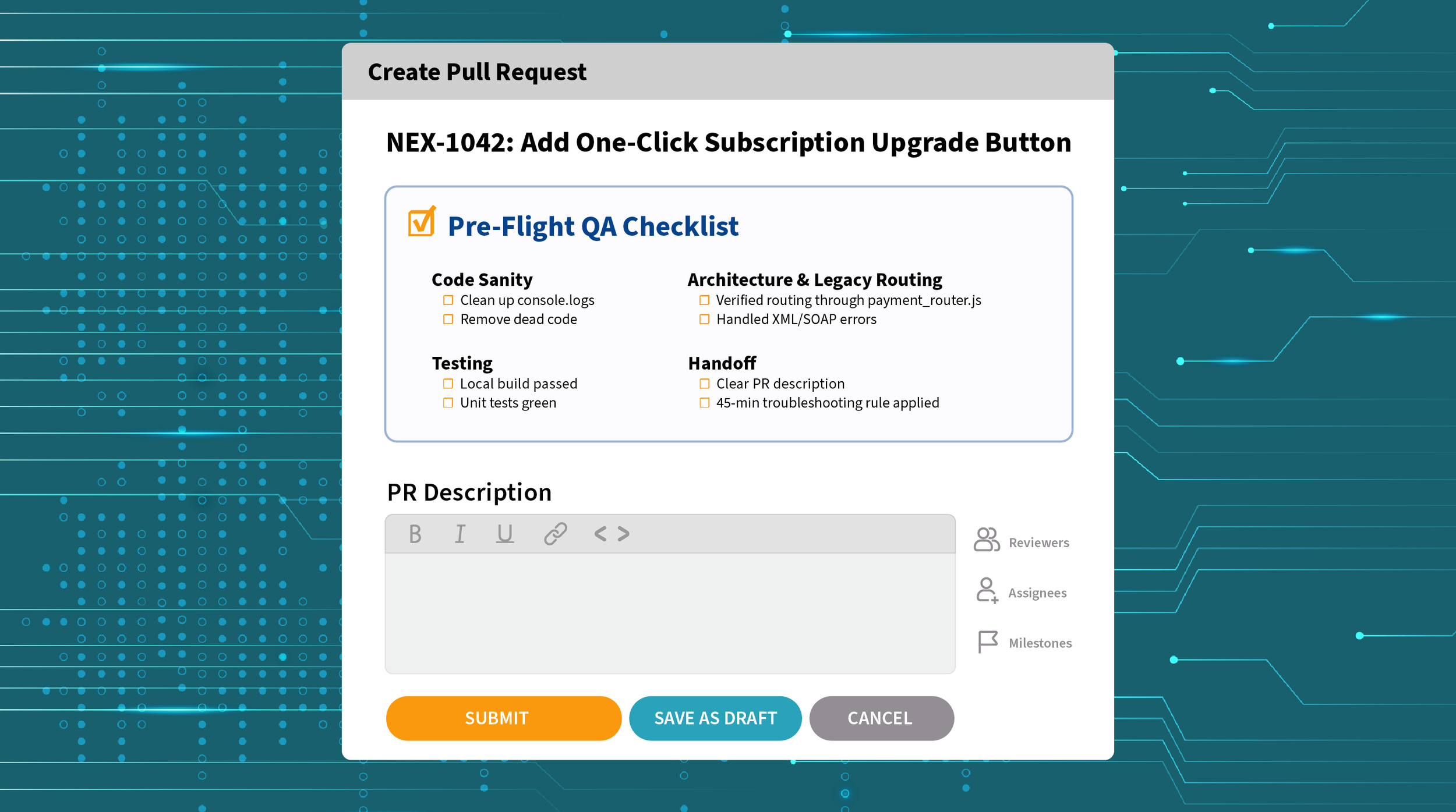
I formatted each performance support piece so Junior Developers and Team Leads could easily integrate it into their daily workflow. Click on each image to zoom in and read the descriptions. The form images also include links to the actual forms.
Branching Scenario - Portfolio Feature
Tools Used: Articulate Storyline
Approach: Developed the course's third scenario using a branching technique.
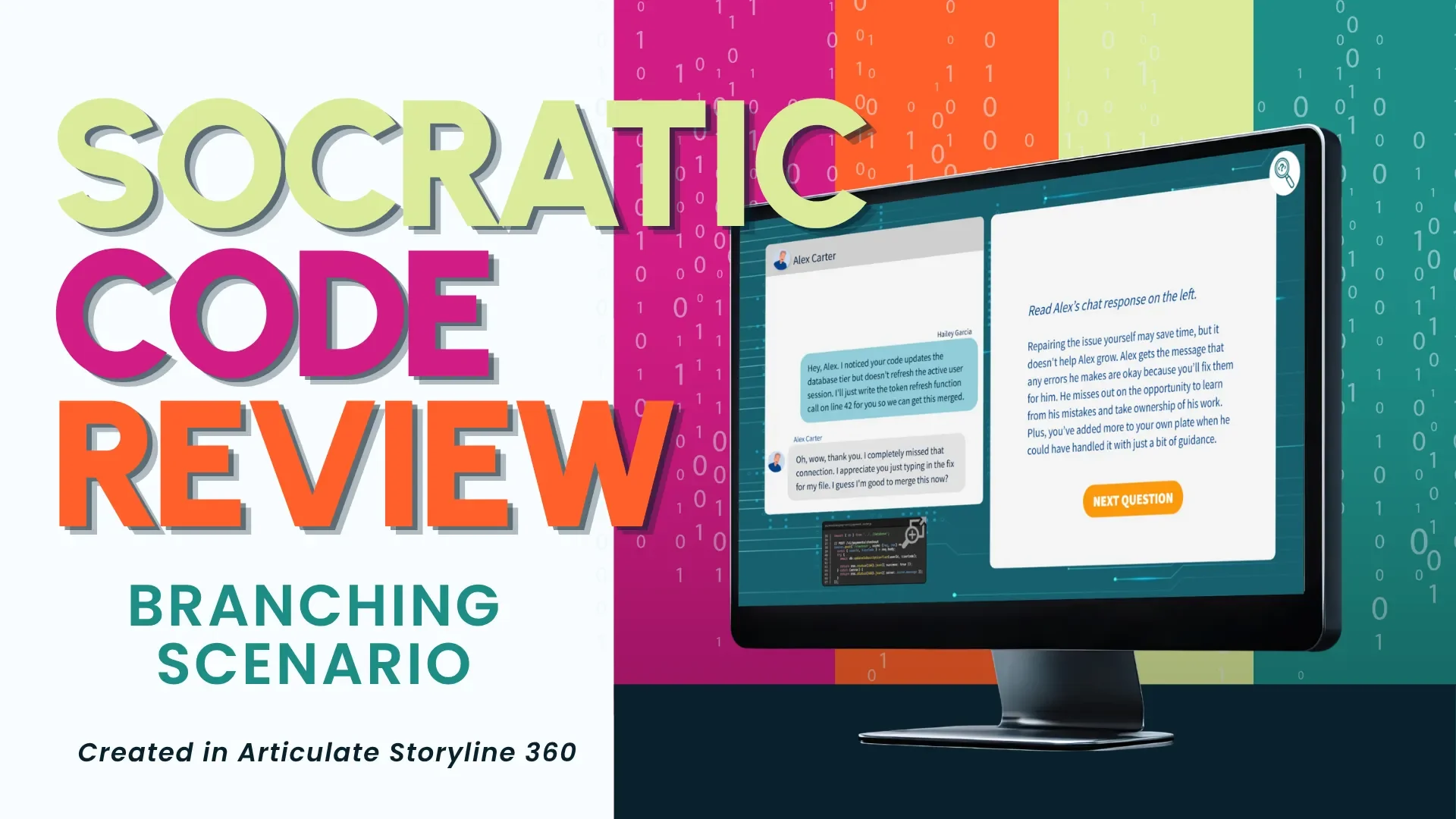
The third scenario helped learners choose new ways to handle pull request reviews. Because the Team Leads often chose to rewrite the code themselves or to lash out at Junior Developers for submitting flawed code, I included these options at each decision point in the scenario. Each decision point also included an ideal answer choice so the learner could get back on track if they took a less-than-ideal path during the activity.
The scenario focuses on four basic managerial approaches:
Rescuing - the approach Team Leads often fall back on–rewriting the code themselves in order to meet deadlines
Directive - the “just get it done” approach in which Team Leads directly tell Junior Developers what is wrong and tell them to fix it (usually without explaining how or why)
Blind Approval - the approach Team Leads sometimes use when feeling burned out: just letting Junior Developers think everything is perfect and moving on
Socratic - the desired approach in which Team Leads ask open-ended questions to help guide the Junior Developer to solve the pull request issue
This branching scenario:
Follows a branch-and-bottleneck format: the first decision point branches out, sending learners down separate paths based on their choices; then all learners come together at another decision point before the scenario ends.
Allows learners to get back on track from a less-than-ideal path
Includes 4 main decision point levels, with some answer choices looping back to the beginning for a second chance.



Because this is a hypothetical project, I did not reach the Implementation stage. However, I outlined the phased implementation timeline (explained above during the DESIGN stage).

Implementation Plan Documents

Because this is a hypothetical project, I did not reach the Evaluation stage. However, I outlined how I would measure success.

Levels of Evaluation
Tools Used:
Approach: Developed evaluation methods based on the four levels of Kirkpatrick’s evaluation model.
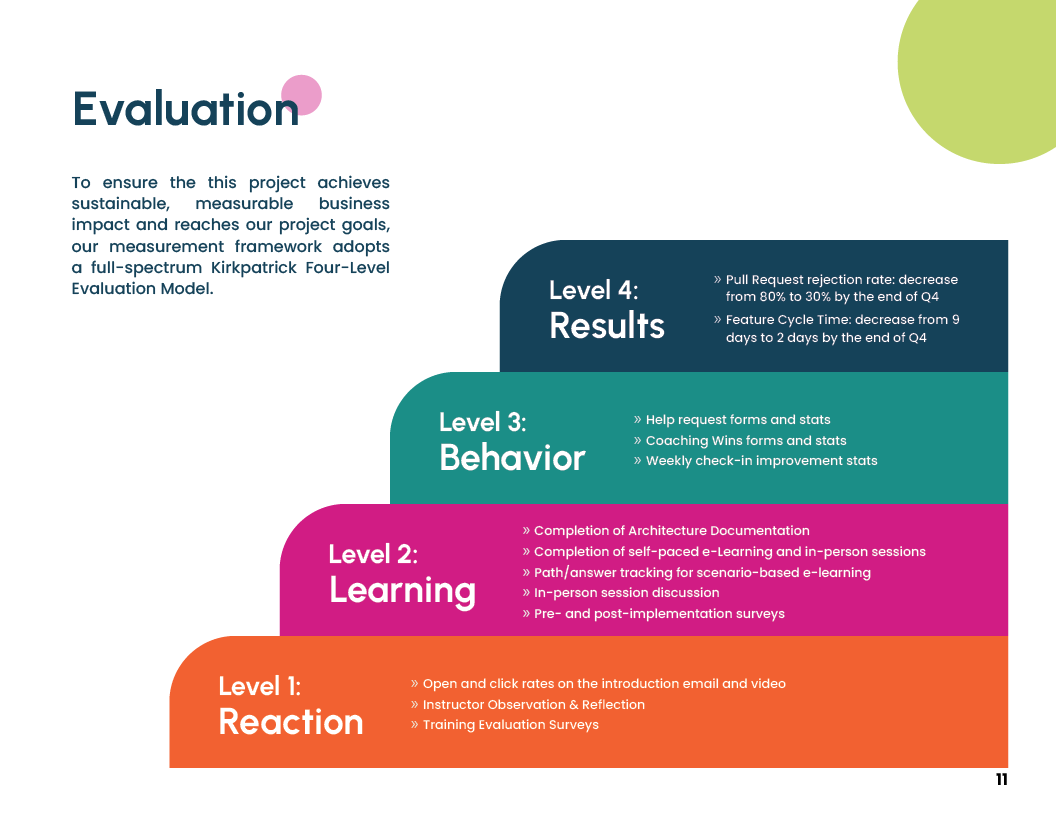
Level 4: Results
The main evaluation for this project was whether we met our performance goals. Administrators already measured and tracked these metrics, so we used that data to evaluate whether we reached a 30% Pull Request rejection rate and a 2-day Feature Cycle time.
Level 3: Behavior
We measured and tracked behavior changes using some of the forms and procedures we implemented as part of the ACROSS Framework.
Help request form data is saved, and chat logs for responses are also gathered for Team Leads to reference.
In addition to being a rich data source, this information would help Team Leads complete their weekly Coaching Wins forms. The data from the Coaching Wins Forms is also routinely aggregated to create a high-level view of mentorship effectiveness, as self-reported.
Click the image to zoom.
Level 2: Learning
We evaluated team learning in several ways.
In Phase 1, we used completion and accuracy of the Architecture Documentation to gauge whether the Lunch and Learn sessions were effective.
Completion rates and learner path/answer tracking for self-paced, scenario-based e-learning helped us measure course learning, and completion rates and in-person session discussion helped us assess session learning.
We also administered pre- and post-implementation surveys that allowed learners to self-report their perceived skills and any improvements or decline in their performance. Supervisors and administrators also completed surveys to share their perceptions of learning gains.
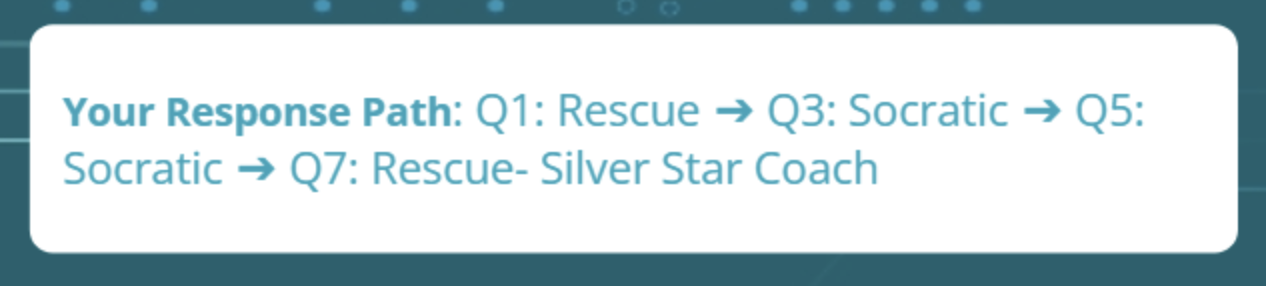
In the Socratic Review scenario, the learner Response Path Data was gathered from the Storyline 360 course and sent to a Google Sheet. This shows the choices learners made during the branching scenario, the management style they tended to choose, and whether they could self-correct any mistakes. Supervisors could then use this information to follow up with Team Leads and provide additional support if needed.
Level 1: Reaction
I focused on 3 main methods to gauge the initial reaction to the project. Because we sent the project introduction via email, we tracked email open rates and intro video click rates. We also measured participation in the ACROSS introduction Storyline presentation.
We also measured reactions anecdotally through instructor/facilitator observation and reflection. Instructors will often notice reactions, engagement, and attitudes from group discussion and individual conversations.
Finally, I created surveys for course participants to complete to express their reactions and feelings about the courses, workflow changes, and job aids.

Deliverables Gallery
Click the images below to view full documents and deliverables.
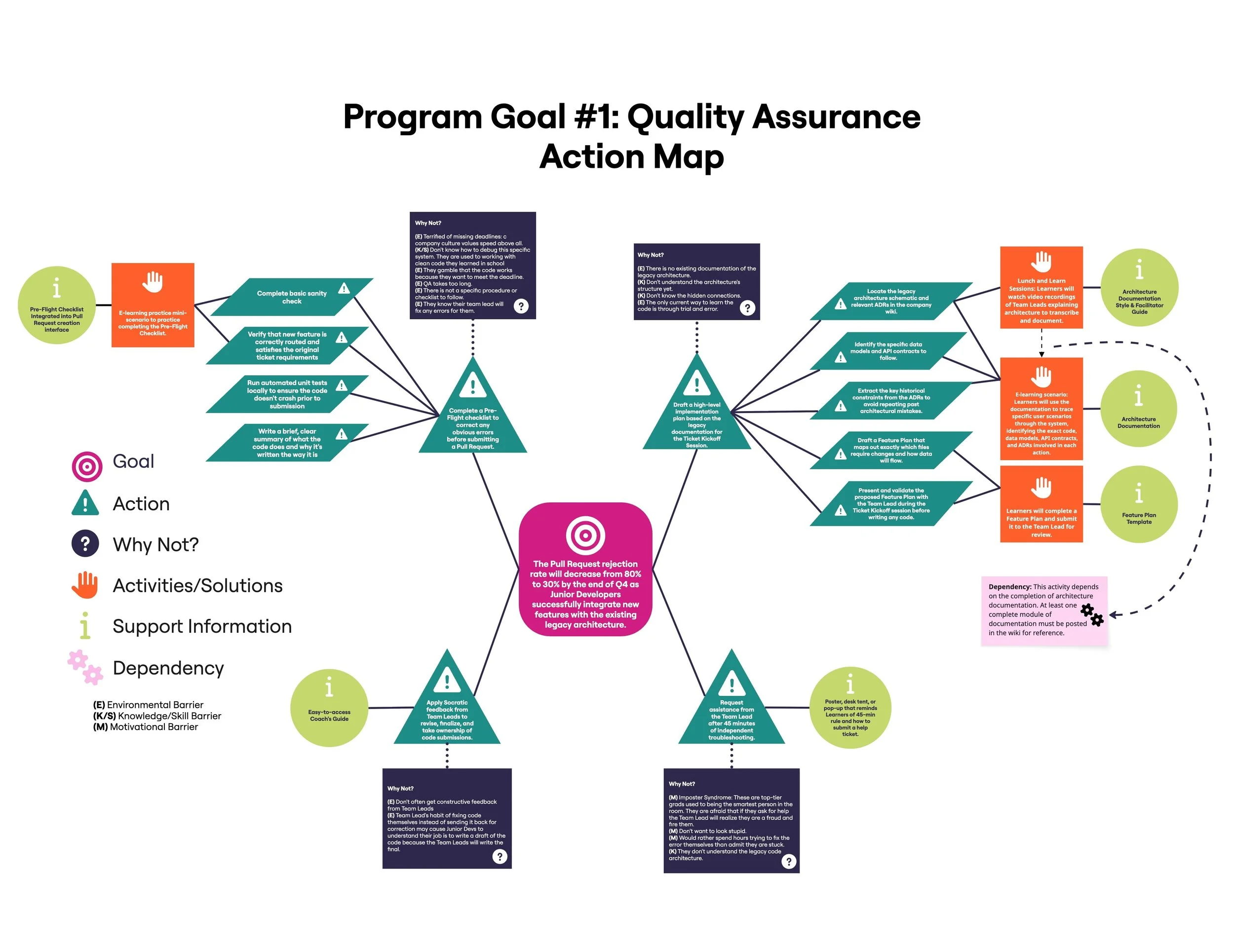
NexusStream Action Map PDF
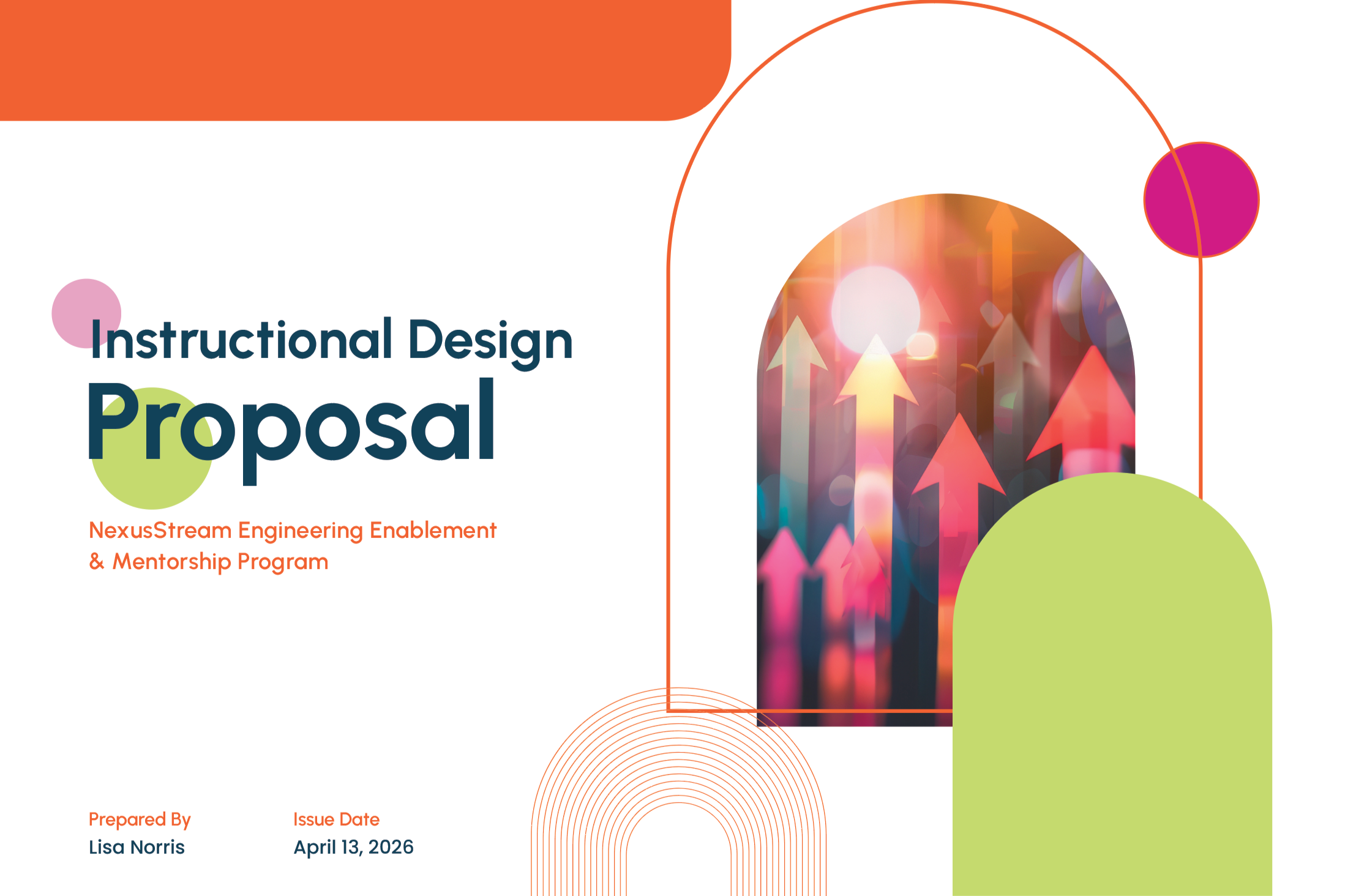
NexusStream Instructional Design Document PDF
Lunch & Learn Sessions Facilitator Guide PDF (coming soon)
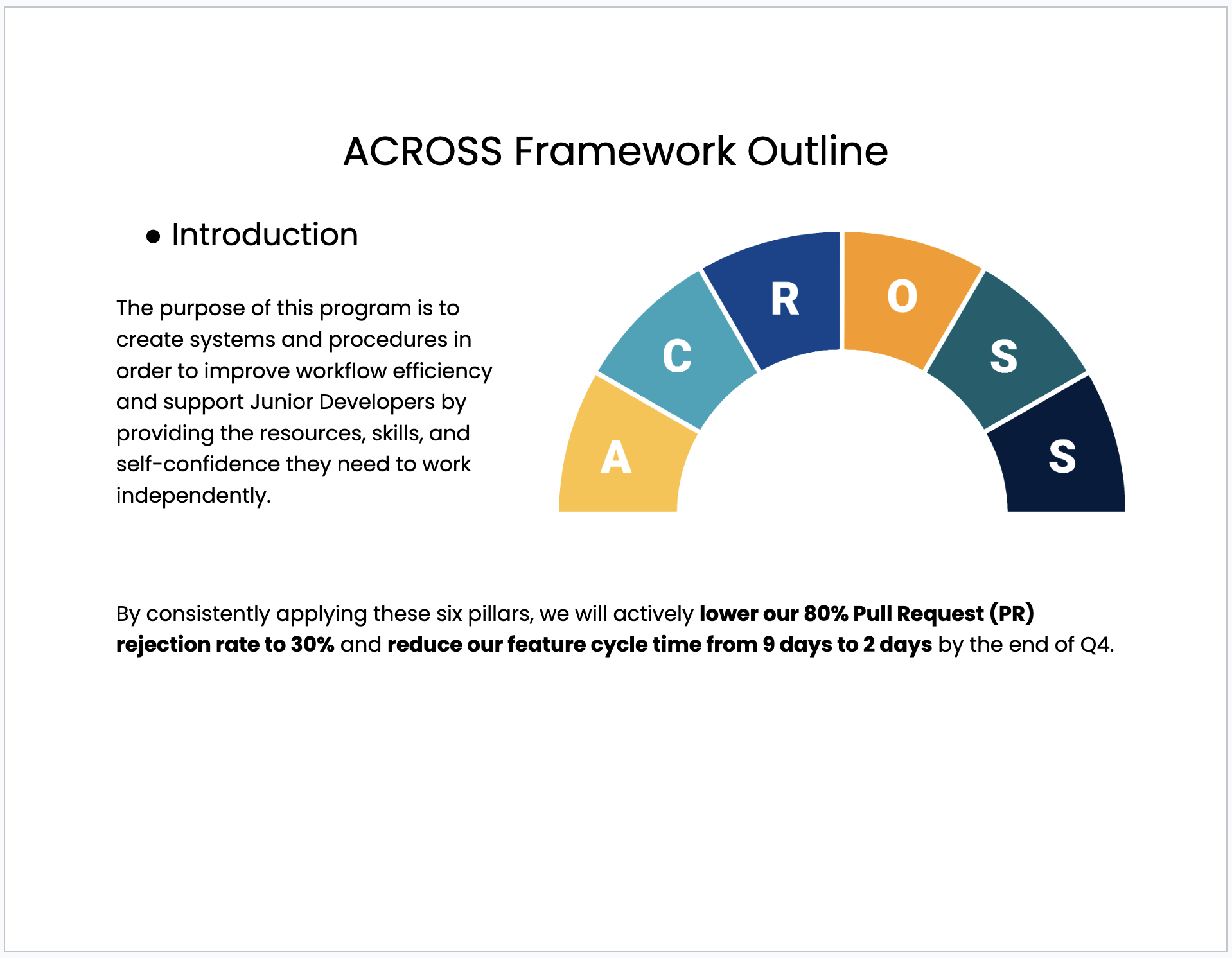
Across Framework Outline PDF
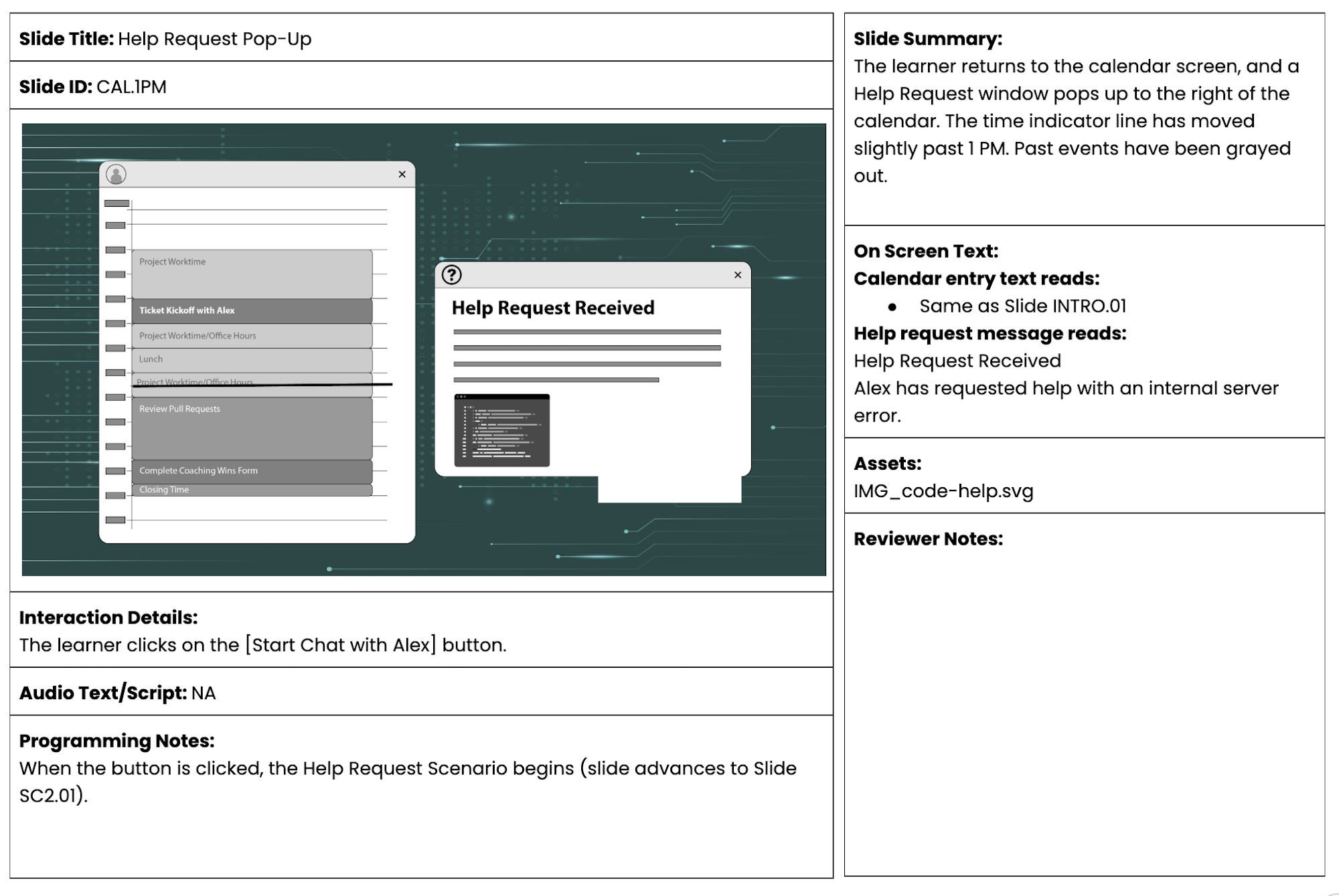
NexusStream Day in the Life Course Storyboard PDF
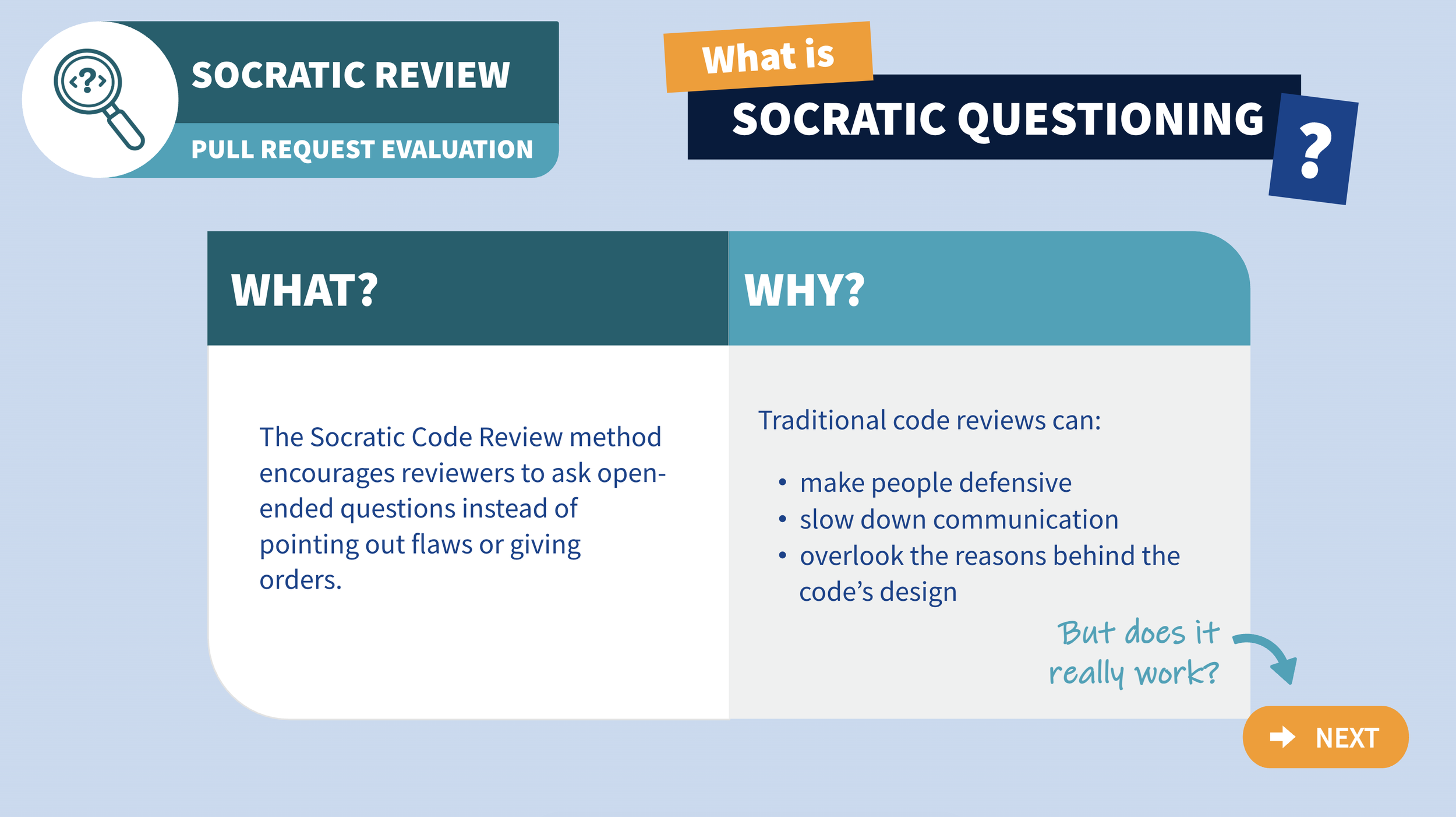
Portion of the ACROSS Framework Job Aid: The Socratic Code Review Coaching Guide
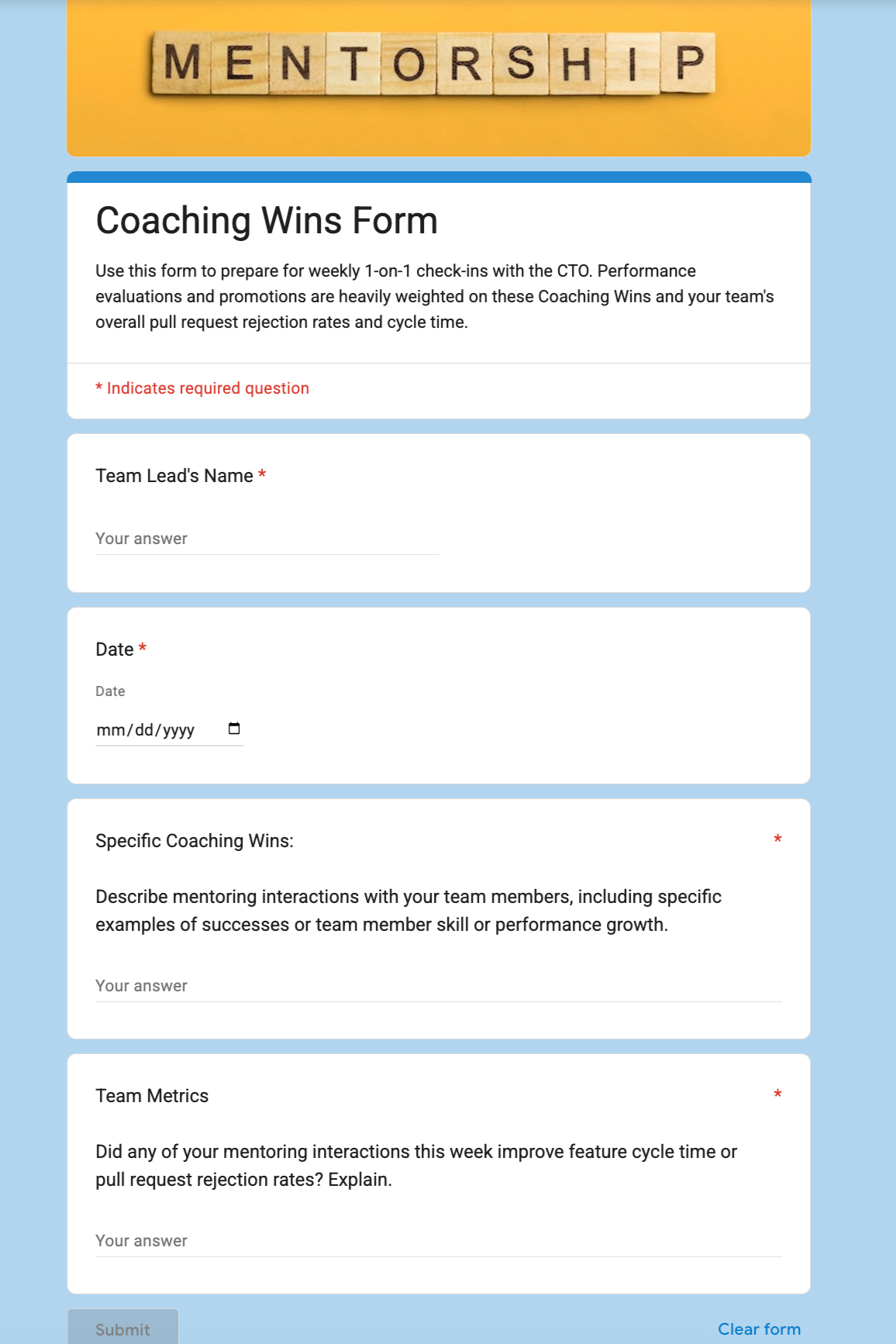
Performance Support: Coaching Wins Form
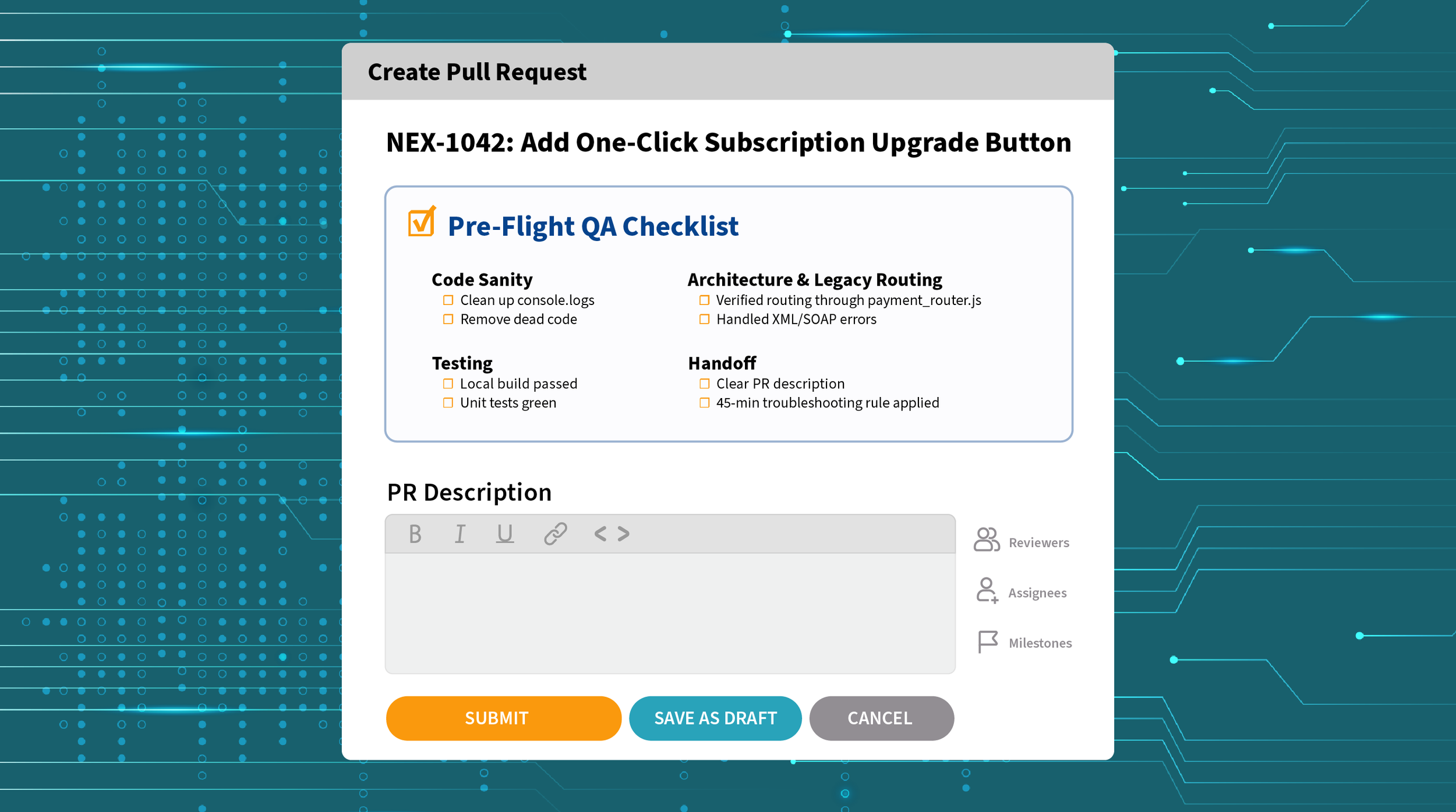
Performance Support: Pre-Flight Checklist Screenshot
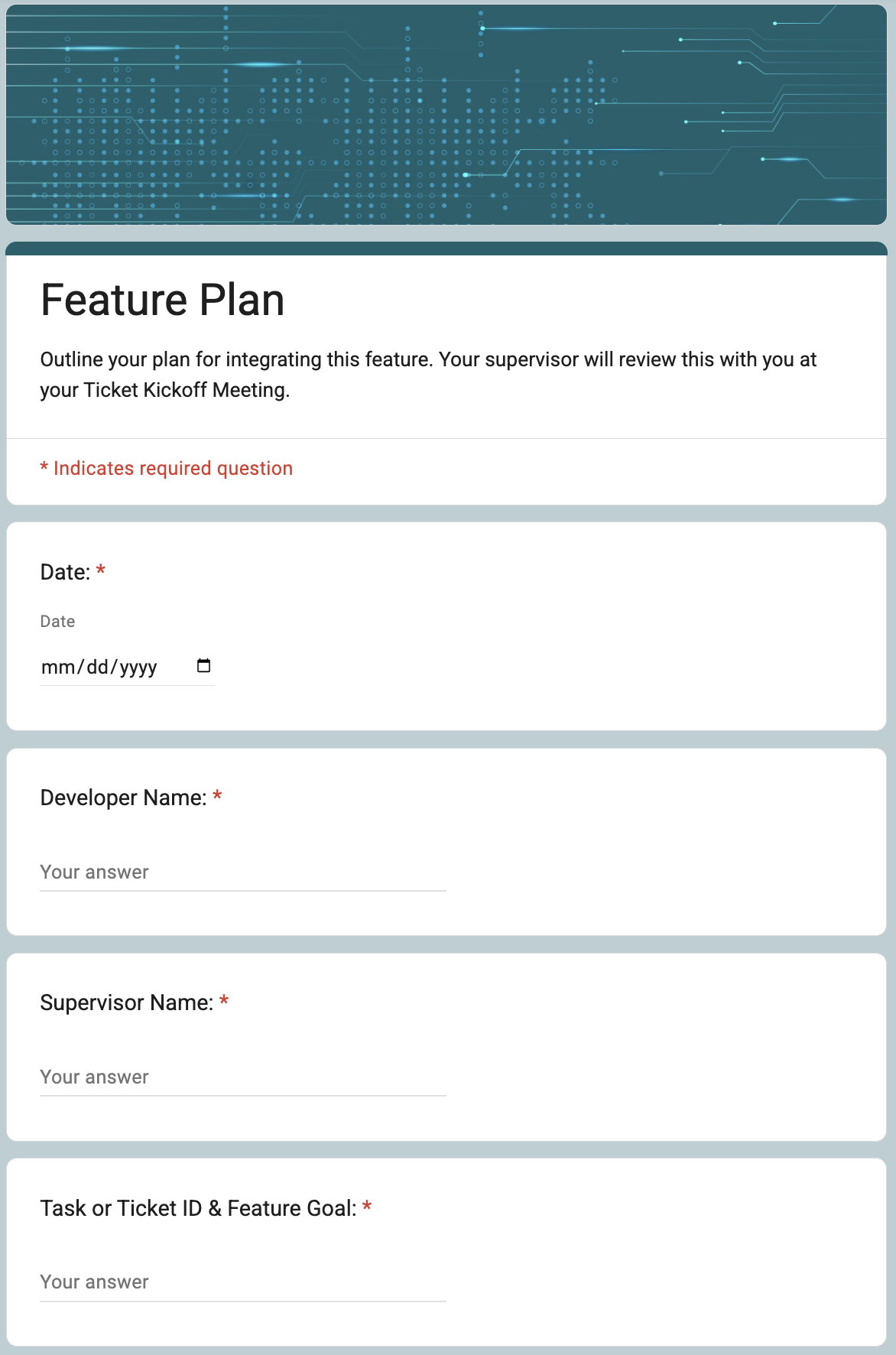
Performance Support: Feature Plan
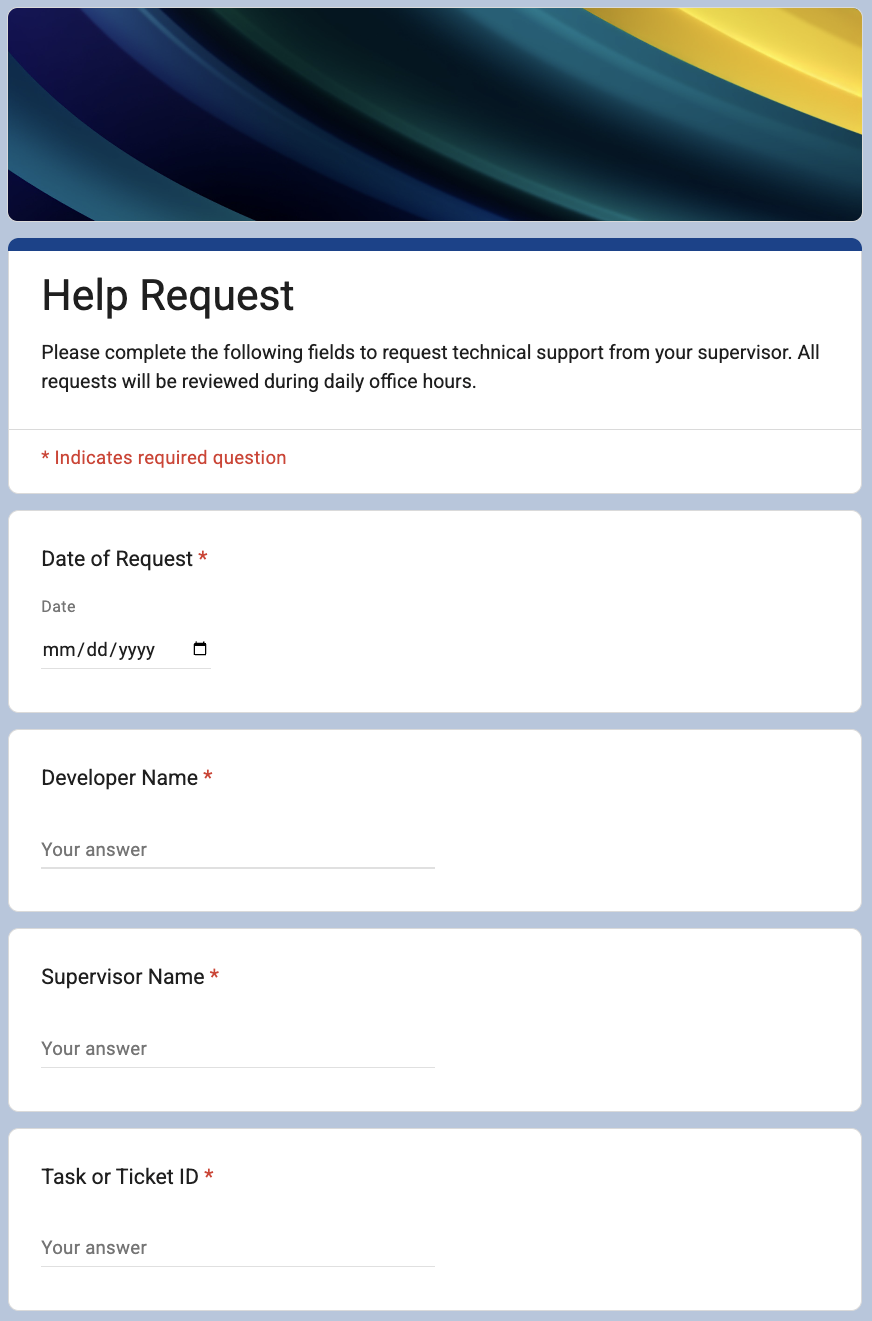
Performance Support: Help Request Form
Feature Project: Socratic Code Review Branching Scenario
Looking for an Instructional Designer?
Let’s Talk.